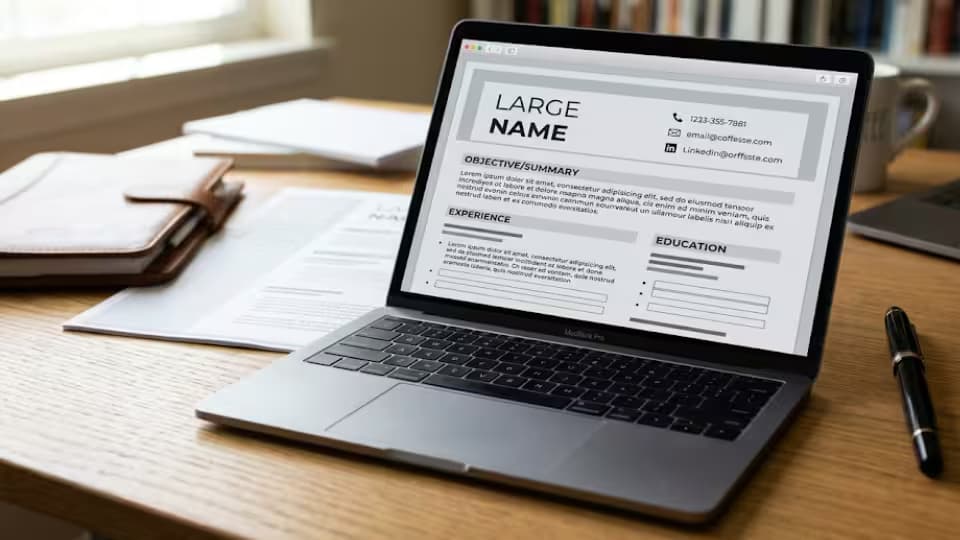
When people say they are looking for a curriculum vitae creator, they usually mean they want the easiest way to end up with a good CV. That is a fair thing to want. But there is no single best way, and anyone who tells you otherwise is selling something. There are four main routes, and the right one for you depends on your time, your budget, and how much you want the finished document to sound like you. As a recruiter I have read strong CVs made every one of these ways, and weak ones too. The method never decides the outcome. How you use it does. Let me lay out the four so you can choose with confidence rather than guesswork.
This guide walks through each of the four ways to create a CV, weighs the good and the watch out for each, and then helps you match one to your own situation. It ends with the one warning that matters most, about the newest of the four, and the one truth that runs through all of them, which is that no creator can supply the thing that actually wins interviews.
The four ways to create a curriculum vitae
Almost every method of making a CV falls into one of four groups, whatever fancy name a particular tool goes by. The picture below sums up the good and the watch out for each, and then I will take them one at a time.

Four ways to create a CV, and the trade off in each
Creating from scratch
Writing your CV from a blank document gives you complete control. Nothing is fixed, so the result can be truly yours, shaped exactly around your story, which is a real advantage if your career is unusual or does not fit a standard mould. The cost is time, and you have to handle the layout yourself, choosing fonts, spacing and headings. This route suits people who want full ownership of the wording, who enjoy or do not mind the tidying, or who have a path a template would fight against. If that is you, a plain document and a clear head are all you need, and there is a separate guide in this series on making a CV from a blank page.
Creating from a template
A template gives you a tidy, ready made shape to fill in, which is why it is the most popular route and the one I would point most people toward. You get a fast start and a clean look without having to design anything. The watch out is that many people use the same templates, so you must personalize yours with real, specific detail rather than leaving the sample phrases in place. For most job seekers, a good template is the sensible middle path between the freedom of a blank page and the hand holding of a builder, and free ones inside Microsoft Word and Google Docs are more than good enough.
Creating with a builder
A builder walks you through questions and formats your answers for you, so you never touch the layout. It is quick and needs no design skill, which makes it a comfort for people who find formatting stressful. The watch out is money, because many free builders ask for payment when you try to download, and some produce generic wording that sounds like everyone else's. A builder suits someone who wants a guided, box by box process and is willing to check the tool's suggestions rather than trust them blindly. Used with care, it gets a nervous writer to a finished document, which is no small thing.
Creating with artificial intelligence help
Using an artificial intelligence tool to help write your CV can break the blank page problem and give you fresh wording for a first draft. The watch out is the most important one in this whole guide. The tool does not know your life, so it will happily invent achievements, numbers and details that are not yours, and state them with total confidence. Used as a drafting helper, to get past a stuck moment or to suggest a phrasing you then make true, it can be genuinely useful. Trusted blindly, it will put words in your mouth that you cannot defend in an interview. Every line it produces must be checked and made honest before it goes anywhere near an employer.
How to choose the one that fits you
Match the method to your situation, and the choice becomes easy. If you have time and want full control, or your career is unusual, build from scratch. If you want a fast, safe result with the least fuss, start from a good template, which is the right answer for most people. If formatting genuinely frightens you and you are willing to check the output, try a builder. If you are stuck for words, let an artificial intelligence tool help with a first draft, then make every line true. There is no prize for choosing the hardest route, and no shame in choosing the easiest. The only wrong choice is one that stops you finishing, or one that tempts you into sending something untrue.
Weighing time, budget and control
Three simple questions sort the choice for you. First, how much time do you have? If little, a template or a builder gets you there fastest. If plenty, building from scratch gives you the most control. Second, what is your budget? All four can be free, but paid builders and some paid tools charge, often by subscription, so if money is tight, lean on the free templates in Word and Google Docs. Third, how much do you want the CV to sound unmistakably like you? The more that matters, the closer to scratch you should work, and the more carefully you should rewrite anything a tool or template suggests. Answer those three and your route is usually obvious.
The artificial intelligence caution, in full
Because artificial intelligence creators are new and impressive, they deserve a fuller warning. These tools are very good at producing text that reads well and sounds confident, and that is exactly the danger. Confident text is not the same as true text. An artificial intelligence creator will invent a plausible achievement, attach a plausible number, and present it as fact, because it is filling a gap, not remembering your life. If you paste that into your CV without checking, you may walk into an interview unable to explain your own document. Use these tools to draft and to unstick yourself, never as a source of facts about you, and treat every sentence they write as a suggestion to be verified, corrected and owned before it stays.
The part every creator leaves to you
Here is the truth that runs through all four routes. Whatever creator you use, the tool only handles the shape. The substance, your real work, your honest results, your specific numbers, is always yours to supply, because only you lived your career. A blank page, a template, a builder and an artificial intelligence tool all face the same limit. None of them knows that you cut a delivery time in half, trained the new starters, or kept a team together through a hard year. Those are the lines that win interviews, and no creator can write them for you. Choose whichever route suits you, and then bring the one thing no tool can, which is the honest, specific truth of what you have done.
A worked comparison of the four
Imagine four people making the same CV, each a different way. The first opens a blank document and builds every line by hand, taking the longest but ending with something completely their own. The second opens a free template, fills it in, and finishes in an evening with a clean, tidy result. The third uses a builder, answering boxes and letting the tool format the page, quick but paying at the download. The fourth asks an artificial intelligence tool for a draft, then spends real effort checking and correcting every invented detail until it is true. All four can end with a strong CV. The difference is how much time, money and checking each route asked of them, not the quality of the final document, which depends on the honesty and specificity they brought to it.
You can combine methods
These four routes are not walls between which you must choose once and for all. The best approach for many people is to mix them. Start from a free template so you do not face a blank page. Use an artificial intelligence tool for a rough first draft of a tricky profile, then rewrite it in your own words. Build the rest by hand where you want full control. Or use a builder for the layout but paste in wording you wrote yourself. Take the ease where a tool offers it and keep control where it matters, and you get the benefit of several methods without being trapped by any one of them.
How to test your CV, whatever route you took
However you created your CV, put it through the same honest tests before you send it. Read the top third of the first page and ask whether a stranger would know, in seconds, who you are and why you are worth meeting. Check that every line shows a result rather than just a duty. Confirm that every claim is true and something you could talk about under questioning. Make sure your contact details are correct to the last character. And try to select the text in the finished PDF to be sure scanning software can read it. A CV that passes these tests is ready, whether a blank page, a template, a builder or an artificial intelligence tool helped you make it.
Getting a second opinion
No creator, human or machine, replaces a trusted second reader. Once your CV is done, ask someone whose judgment you respect to read it, ideally someone who has hired people or worked in your field. A fresh pair of eyes catches the clumsy line, the missing result and the claim that sounds too vague, all of which you have stopped seeing after reading your own draft twenty times. This costs nothing and improves almost every CV. Whichever route you used to create the document, this one human step at the end is worth more than any feature a tool can offer.
A note on cost and subscriptions
Be careful with money when choosing a creator. Building from scratch and using free templates cost nothing. Many builders and some artificial intelligence tools are free to start and then charge, often as a subscription that is easy to begin and harder to cancel, and some reveal the charge only when you try to download the work you have already done. Before you hand over any money, ask whether a free template would give you the same result with a little more effort. Usually it would. Pay only when a tool genuinely saves you time you truly do not have, and always know what you are agreeing to before you enter a card.
The bottom line on choosing a creator
If you want the decision boiled down, here it is. For most people, most of the time, a free template in a program you already know is the best place to create a curriculum vitae, because it is fast, free, flexible and fully in your control. Build from scratch when you want total control or have an unusual career. Use a builder when formatting genuinely defeats you and you accept its limits. Reach for artificial intelligence only to draft and unstick yourself, and check every word it writes. Whatever you pick, remember that the creator arranges your story but never supplies it. The honest, specific truth of what you have done is the one ingredient no tool can give, and it is the one that actually earns the interview. Bring that, and any of the four routes will carry you there.
Common mistakes people make
A few errors cut across all four methods. People choose the route that impresses them rather than the one that fits their situation, and then struggle. They leave sample or suggested wording in place, so their CV sounds like a template or a machine. They let an artificial intelligence tool invent achievements they never checked. They pay for a builder when a free template would have done the same job. And they focus on the creator while neglecting the content, forgetting that a recruiter is persuaded by real results, not by the tool that arranged them. Choose the route that fits you, then put your energy into honest, specific content, and any of the four will serve you well.
Questions job seekers ask
What is the easiest way to create a CV?
For most people, starting from a free template in Microsoft Word or Google Docs is the easiest route to a good result. A builder can feel even easier but may charge to download. The easiest route is the one that gets you to an honest, finished document.
Is it safe to use artificial intelligence to write my CV?
It is safe as a drafting helper, if you check every line. It is not safe to trust blindly, because the tool will invent details that are not true. Nothing it writes should reach an employer until you have made it honest.
Do I have to pay to create a good CV?
No. You can create an excellent CV for free, from scratch or from a free template. Pay only if a tool genuinely saves you time you do not have, and watch for builders that charge at the download.
Which method do recruiters prefer?
Recruiters have no preference about the method, because they cannot tell which you used and do not care. They react to the content. A clear, honest, specific CV wins whether you built it from scratch or from a template.
I am not confident with computers. What should I use?
A guided builder or a simple template in a program you already know is your friend. Choose the route with the least fuss, and remember that a finished, honest CV beats a perfect one you never complete.
A final word
A curriculum vitae creator, whatever form it takes, is only ever a way to arrange your story, not a way to supply it. Choose the route that fits your time, your budget and how much control you want, lean toward a free template if you are unsure, and treat any artificial intelligence help as a draft to be made true. Then bring the one thing no creator can, your honest and specific record of what you have done. Do that, and it will not matter which tool you chose. What lands on the recruiter's desk will be unmistakably, convincingly you.
Recruiter tip: Whichever creator you use, the final test is the same. Read your CV as though you were the hiring manager and ask, does every claim here hold up if I question it? If the answer is yes, the tool did its job. If not, no clever creator will save you in the interview.
Sources
• Google Docs Help, using templates