People often ask me whether they need one template for a curriculum vitae and a different one for a resume. In most cases, the answer is no, and the question itself causes more worry than it should. A well chosen, simple template carries your details just as well under either name. The word on the advert changes from place to place. The good layout underneath does not. As a recruiter I have received the same clean, sensible layout labeled as a CV from one applicant and as a resume from another, and it read perfectly well both times. Here is how to pick a template that serves both, and how to build the two versions you actually need from it.
This guide explains why one template can do both jobs, what to look for so that it does, how to keep it friendly to the software that scans applications, and how to turn that one template into a full curriculum vitae and a short resume without starting over. Get this right and you stop chasing a new template for every application and start spending that time where it counts, on your words.
Why one template can serve both
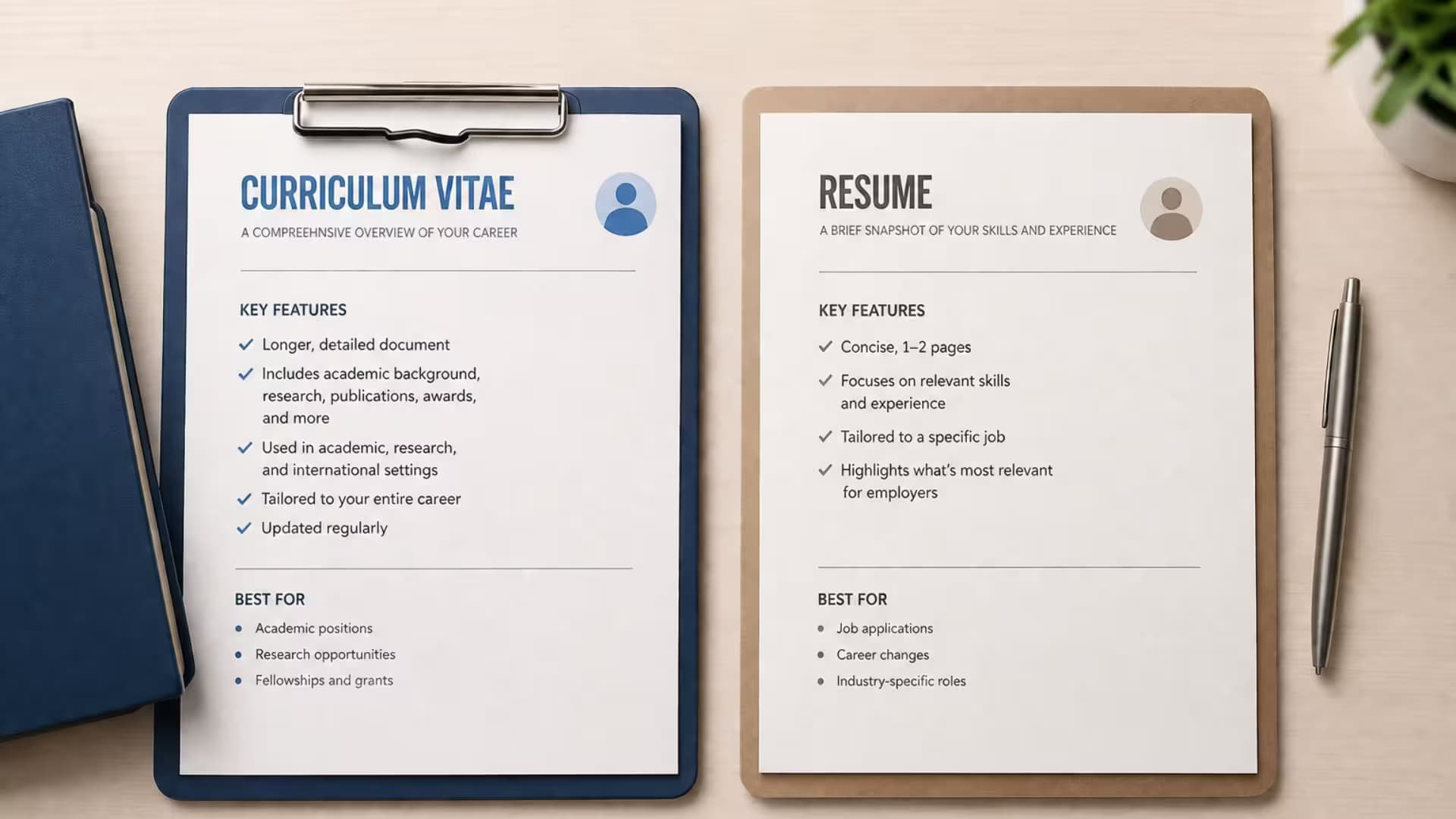
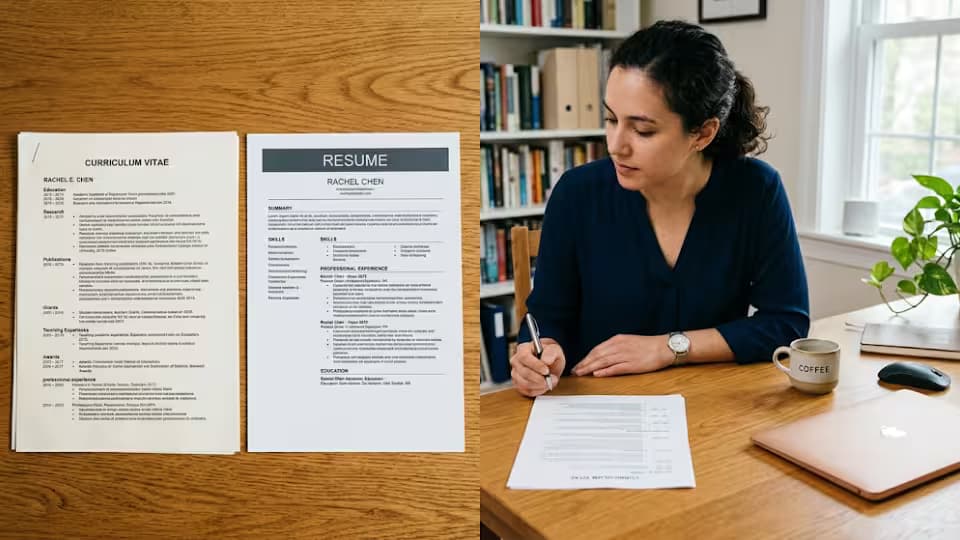
Remember what a resume and a curriculum vitae are both trying to do. Each summarizes your working life and tries to win you an interview. A resume is usually shorter and more tightly edited, and a CV is often longer and more complete, but they share the same building blocks, a header, a profile, work experience, education and skills. A clean template holds those blocks well whether you fill two pages or four. The difference between the two documents lives in the content and the length, not in the frame around them, which is exactly why a single flexible template can carry both. The picture below shows the point.

A simple template reads well whether it is called a CV or a resume
What a resume and a CV share
It is worth being clear about how much the two documents have in common, because that shared ground is what one template rests on. Both open with your name and contact details. Both benefit from a short profile that says who you are. Both list your work experience with the most recent role first. Both carry your education and your skills. Both are read by busy people, and increasingly by scanning software, so both reward a clean, plain layout. The only real differences are how much detail you include and how long the document runs. A template that handles the shared blocks well, and stretches or shrinks gracefully, will serve you whichever document you are building.
What to look for in a template that does both
Choose a template that is calm and flexible. A single column or a light two column layout works for both a short resume and a longer CV, because it does not depend on filling an exact amount of space to look right. A readable font at a sensible size keeps things clear no matter how much you add. Clear, plain headings let you shorten or lengthen sections without the design falling apart. Avoid anything that only looks right at one exact length, because you will want to stretch or trim the same template depending on the job. The test is simple. Add content until it runs to several pages, then cut it back to one, and see whether it still looks right at both lengths. A template that passes that test is one you can build a career on.
Make it friendly to the scanning software
Large employers often run applications through software before a person ever sees them, and this matters just as much whether your document is called a CV or a resume. To keep that software happy, favor a template with a straightforward layout, real text rather than text hidden inside images, and no heavy tables or side panels that break the reading order. A plain template is not only easier for a human to read. It is also far more likely to be read correctly by the machine that stands in front of the human. Jobscan makes the same point about keeping the layout simple. A single clean template that reads well to both a person and a scanner is worth more than a striking one that trips the software up.
One template, two versions
Here is the practical heart of the matter. You do not build a CV and a resume separately. You build one full version and cut a short one from it, using the same template throughout.
1. Pick one clean, flexible template you are happy with.
2. Build your full, complete version first, and save it as your master curriculum vitae.
3. Make a copy of the master so you never cut into it by accident.
4. In the copy, keep only the roles, skills and achievements that fit the specific job, and trim the rest.
5. Shape that copy down to one or two pages to make your resume.
6. Give each file a clear name so you always know which is the full record and which is the tailored pitch.
Because both versions share the same template, they look like they belong to the same person, which keeps your applications consistent and professional. And because you built the full version first, cutting the resume is a matter of removing, not rewriting, which is far faster than starting from scratch each time a new job appears.
Adapting the length without breaking the design
The reason a flexible template matters becomes clear the moment you change length. A rigid template designed to fill exactly one page will look wrong the instant you add a second, with awkward gaps or a heading stranded at the foot of the page. A flexible template flows. Add a job and it makes room. Remove one and it closes up neatly. When you build your master CV, deliberately push it to two or three pages and check that it still looks right, then cut it back to a one page resume and check again. A template that survives both tests will never fight you, whatever length the next job calls for.
Where to find a template that works for both
You do not need to pay for one. Microsoft Word and Google Docs both include free, plain templates that stretch and shrink well, and these suit most job seekers perfectly. Reputable career websites offer more, though be wary of ones that lock your finished document behind a payment. Whatever the source, judge it by the same test, a clean layout that reads well at one page and at three, with real text and no heavy graphics. There are separate guides in this series on CV templates in general and on using Google Docs templates in particular, if you want to go deeper into either.
A quick worked example
Picture how this works in practice. You build your master in a clean template, and it runs to three full pages, holding every role, every course and every achievement you have. A sales job appears, so you copy the master and cut it to a single page, keeping only your sales roles, the results that show you can sell, and the skills the advert names, all in the same template. A week later a training job appears, so you copy the master again and this time keep the roles where you taught or mentored, and the results that show it. Two very different one page resumes, both cut from the same three page master, both in the same clean template. That is the whole method, and it takes minutes once the master exists.
Consistency across your applications
There is a quiet benefit to using one template for everything that people rarely notice until they see the opposite. When all your applications share the same clean look, you present as organized and considered, and if a recruiter sees more than one of your documents, as often happens when you apply to a company twice or when an agency handles you, they feel a reassuring consistency. When each application uses a different template, hastily chosen, the effect is scattered, and it can suggest a scattered candidate. One template, used everywhere, is a small discipline that makes your whole job search look more professional than it may feel from the inside.
How length changes what you include, not the frame
It is worth being clear that moving between a long CV and a short resume changes the content, never the frame. The template stays the same. What changes is how much you pour into it. In the full version you include older roles, more detail under each job, and fuller education. In the short version you keep only what fits the job in front of you and cut the rest to the bone. The headings, the fonts, the spacing and the overall look do not move. This is why a flexible template matters so much. It lets the same frame hold a generous record and a lean pitch without ever looking wrong.
When you might want a different look
For nearly everyone, one clean template is enough. There are a few exceptions worth naming honestly. If you work in a strongly visual field, such as design, an employer may expect a more distinctive looking document that shows your eye, though even then the content rules still apply. If you are applying somewhere with a very formal tradition, you may lean toward a plainer, more classic style. These are adjustments at the edges, not reasons to abandon the one template habit. For the vast majority of jobs, a single calm, flexible template serves both your CV and your resume perfectly well.
Keep the master, tailor the copies
The habit that ties all of this together is simple. Keep one clean master version safe, and never send it directly. For each job, make a copy, tailor the copy, and send that. Your master stays complete and untouched, ready to spin off the next tailored version whenever a new job appears. This protects you from the common disaster of cutting your only good document down for one job and then having to rebuild it for the next. Guard the master, tailor the copies, and you will always be minutes away from the right document in the right shape, whatever the next advert asks for.
A short checklist before you commit to a template
Before you settle on the template that will carry both your curriculum vitae and your resume, run it through a few quick questions, and reject it if it fails more than one. Does it read cleanly at one page and still look right at three? Are the headings clear and easy to shorten or lengthen? Is the font comfortable to read at arm's length? Does it use real text in a simple single column or light two column layout, with no heavy graphics? Does it hold together on a phone screen? And can you picture both a lean resume and a full CV living inside it without the design fighting you? A template that passes those questions will serve you for years and across every job you apply to, which is exactly what you want from the one frame you will use for everything.
Common mistakes people make
A few errors undo the whole benefit of a shared template. People hunt for a brand new template for every single application, wasting time they could spend on their words. They choose a rigid design that only looks right at one length, then fight it every time the content changes. They pick a heavily styled template that confuses the scanning software. They build a CV and a resume as two entirely separate documents, doubling their work and letting the two drift out of step. And they forget to name their versions clearly, then send the wrong one to the wrong job. Choose one flexible template, build down from a master, and name your files, and every one of these problems disappears.
Questions job seekers ask
Do I really need only one template?
For most people, yes. One clean, flexible template serves both a curriculum vitae and a resume, because the two documents share the same building blocks. What changes is the content and the length, not the frame.
Will the same template pass the scanning software as both a CV and a resume?
If it is a simple, single column layout with real text and no heavy graphics, it will read well as either. The software cares about the layout, not the name on the document.
How do I make a resume from my CV template?
Copy your full CV, then cut it down to the roles, skills and achievements that fit the specific job, keeping it to one or two pages. Same template, shorter content, tailored to the role.
Should the CV and resume look identical?
They can share the same design, which keeps your applications consistent. The content differs, with the CV complete and the resume selective, but there is no need for two different looks.
Where can I get a free template that does both?
Microsoft Word and Google Docs both include free, plain templates that stretch and shrink well. Choose a simple one and it will serve as both your CV and your resume.
A final word
Do not chase a different kind of template for a curriculum vitae and a resume. You own one good, flexible template and two versions of your story, a full record and a short pitch, cut from the same frame. Recruiters remember content, not clever layouts, so the time you save by not hunting for templates is time you can spend making your achievements clearer. Pick one clean template, build a master, cut your tailored versions from it, and send whichever the job in front of you calls for.
Recruiter tip: Do not chase a different template for every application. Recruiters remember content, not clever layouts. Spend the time you would waste hunting for templates on making your achievements clearer instead.
Sources
• Jobscan, resume PDF versus Word