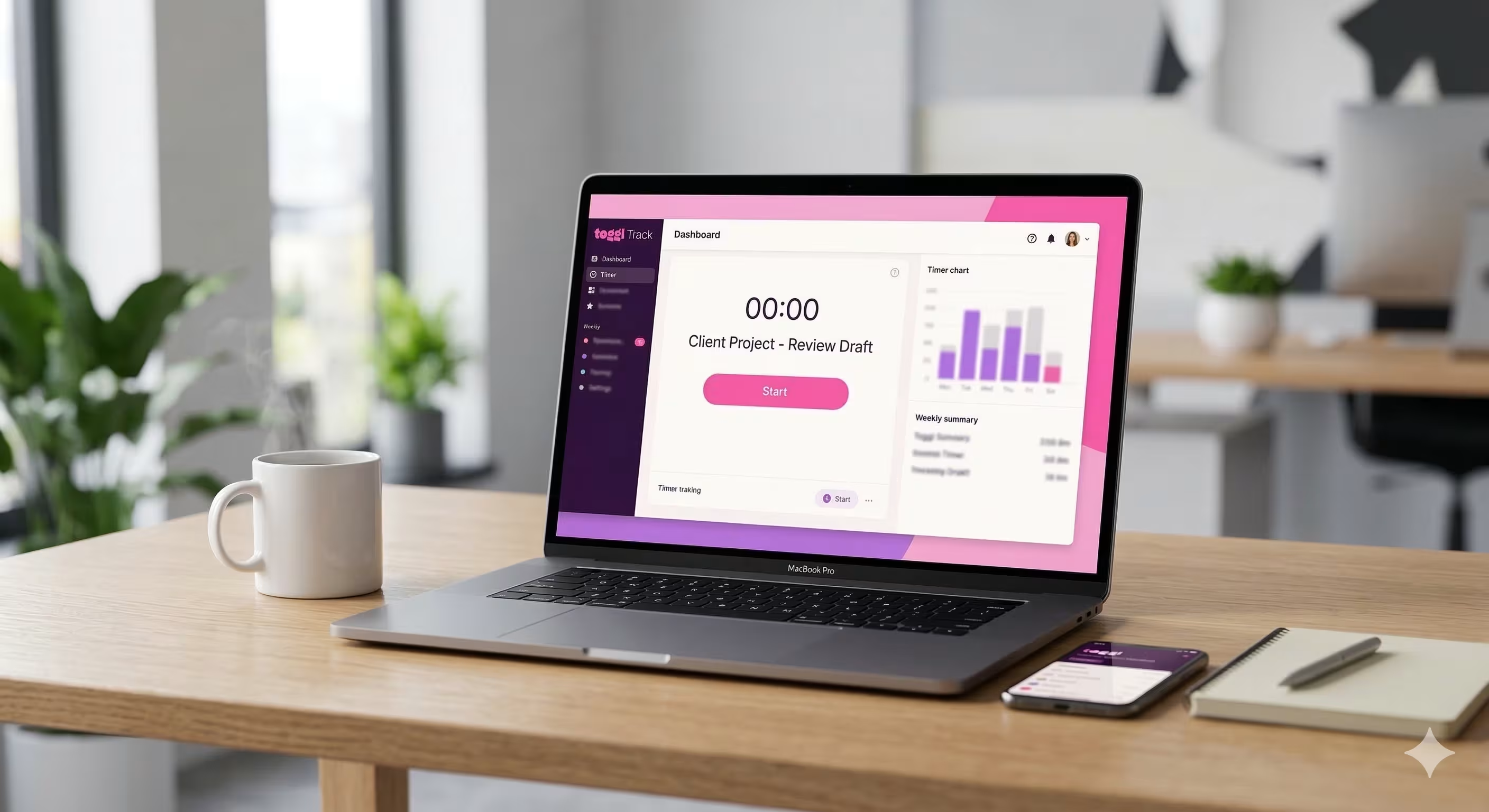
This Toggl Track review puts the popular time tracking platform through hands on testing, covering features, pricing, ease of use, and whether it is the right fit for HR teams managing employee hours.
Quick Verdict
| Overall Score | 8 out of 10 |
| Best For | Small to mid sized teams needing simple, intuitive time tracking with strong reporting |
| Not Ideal For | Large enterprises requiring advanced workforce management, scheduling, or built in payroll |
What is Toggl Track
Toggl Track is a time tracking platform founded in 2006 in Tallinn, Estonia, by a team of founders who believed that tracking work hours should be simple, not complicated. The company has remained bootstrapped throughout its history, never taking venture capital funding, which has allowed it to maintain focus on its core mission rather than chasing unsustainable growth metrics. Today, Toggl Track serves over seventy thousand teams across the globe, ranging from freelancers and small agencies to mid sized organisations and multinational companies.
The platform is part of the larger Toggl family of products, which includes Toggl Plan for project planning and Toggl Hire for recruitment assessment, creating an ecosystem of interconnected tools for teams that need to manage multiple aspects of their business. The company has grown to approximately one hundred forty six employees and generates annual revenue around thirty two point eight million dollars, making it a profitable and stable business. This financial health means Toggl Track is not at risk of sudden shutdown or acquisition drama that sometimes affects venture backed startups. The company has maintained consistent focus on doing one thing well: providing an intuitive, reliable time tracking solution that does not overwhelm users with unnecessary complexity. This philosophy runs through every feature and interaction in the platform.
Getting Started and Onboarding
When I first logged into Toggl Track, I immediately appreciated the thoughtful onboarding experience. Rather than dumping me into a blank interface, the platform greets new users with a series of friendly prompts that ask about their use case. The first screen asks whether you are tracking time for billing purposes, managing team productivity, or simply tracking your own time for personal insight. This question shapes the initial configuration and helps the platform understand how you plan to use it. The onboarding flow continues with questions about team size and whether you are tracking solo or managing a group. This information allows Toggl Track to highlight the most relevant features for your situation.
For new team managers, the platform offers a streamlined team invitation process that lets you add members via email or share a link for them to join. I found this approach much more approachable than platforms that require you to figure out the team management section on your own. Throughout the onboarding process, I noticed the copy is friendly and jargon free. There are no mentions of "syncing integrations" or "optimising workflows" (these platforms love those phrases). Instead, Toggl Track speaks in plain language about what you are actually doing: tracking time and understanding where your hours go. The entire experience took about five minutes to complete, after which I was ready to start tracking.

Toggl Track's onboarding welcome screen asks new users about their goals, from billing projects to tracking team productivity.

The team invitation step during onboarding, with options for email invites or a shareable link.
Time Tracking Features
The core of Toggl Track is, unsurprisingly, time tracking. The platform offers four distinct ways to log your time, each suited to different working styles and preferences. The timer is the most straightforward: you click start, work on a task, and click stop. The timer displays elapsed time and lets you assign the entry to a project and add tags. For those who forget to hit stop, there is a grace period before the entry is locked, allowing last minute corrections. The calendar view presents time tracking in a familiar weekly layout. I found this particularly useful for teams who need to see their entire week at a glance. You can click directly on time blocks in the calendar to add or edit time entries, and the view clearly shows gaps and busy periods. A tooltip during onboarding helped me understand the calendar controls, which I appreciated as a first time user. The calendar integrates with your existing iCalendar, Google Calendar, or Outlook Calendar, showing your scheduled meetings alongside your tracked time. This overlap view makes it easy to spot when you have logged more hours than your calendar suggests you were available. For users who prefer a chronological, list based view, Toggl Track offers a simple scrollable list of time entries sorted by date and time. This view shows a line by line breakdown of your work, with options to edit, delete, or clone entries. When the list is empty, the interface displays a friendly illustration and a prompt to start tracking. Some platforms default to empty state screens that feel like dead ends, but Toggl Track makes the empty state feel like an invitation. The timesheet view, which I did not screenshot but tested, provides a grid layout where you can manually enter hours for each day. This is useful for users working with fixed hours or for managers who need to see a weekly summary at a glance. All four methods feed into the same underlying data, so switching between them does not create confusion or data inconsistencies.

The timer view in calendar mode with an onboarding tooltip guiding the user through their first time entry.

The weekly calendar view showing the full navigation bar, sidebar menu, and time tracking controls across the top.

List view displays time entries chronologically, with a friendly empty state illustration encouraging users to start tracking.
Project Management
Beyond basic time tracking, Toggl Track includes project management features that help you organise your time entries and extract meaning from your data. You can create projects, assign them to clients, and mark entries as billable or not billable. This distinction matters when you are billing some clients at an hourly rate and providing other work on a fixed fee basis. Projects can be tagged with custom labels, allowing you to categorise work in multiple dimensions. You might tag entries by type of work (design, development, administration), by priority level, or by any other dimension that matters to your business. The Projects page shows a filterable list where you can quickly see all your active projects, filter by client, and see summary statistics for billable hours and amounts. Clients in Toggl Track are simple entities: a name, hourly rate, and currency. When you assign time entries to a project belonging to a client, the billable amount is calculated automatically. This is where time tracking becomes billing, and Toggl Track does this translation cleanly. For freelancers and consulting firms, this is a critical feature. I tested assigning entries to different clients and different billable rates, and the calculations were always accurate. The platform also supports billable rates at both the project and the individual level. You might have a standard rate for a client, but a junior staff member might bill at a lower rate. Toggl Track respects these rate hierarchies and calculates billable amounts accordingly. For services firms, this granularity is essential for accurate invoicing and profitability analysis.

The Projects page with filtering options for client, member, billable status, and project name.
Reporting and Analytics
One of Toggl Track's strongest areas is reporting. The platform offers two main report views: Summary and Detailed. The Summary report shows aggregate data for a selected period: total hours logged, billable hours, billable amount, and average hours per day. You can filter this summary by member, client, project, or tag, allowing you to answer questions like "how many hours did we spend on this project?" or "what did this client generate in billable revenue?" The Detailed report provides a line by line breakdown of every time entry for your selected filters. This view is invaluable when you need to audit who worked on what, or when a client disputes charges on an invoice. Each row shows the date, time, project, duration, and billable amount. You can export this data to CSV for further analysis in spreadsheets. I particularly appreciated the filtering interface. Rather than burying filters in a collapsed panel, Toggl Track surfaces them prominently above the report data. You can quickly toggle filters on and off without leaving the report view. This encourages exploration: I found myself filtering by different projects and clients just to understand the patterns in my time usage. For managers overseeing teams, the reporting features become even more powerful. You can see at a glance how many billable hours each team member logged, whether anyone is consistently overworking, and whether project profitability aligns with expectations. Toggl Track does not offer advanced analytics like trend forecasting or machine learning powered insights, but the fundamentals are solid. The reports answer the questions you actually need answered, without selling you features you do not need.

The Summary report view showing total hours, billable hours, amount, and average daily hours with filtering by member, client, project, and tags.

The Detailed report view provides a line by line breakdown of every time entry for the selected period.
Team Management and Collaboration
When tracking time alone, Toggl Track is straightforward. When managing a team, you need visibility into what everyone is tracking and the ability to set policies and permissions. The Members page shows all team members, their assigned hourly rates, annual cost to the organisation, and whether they are working full time or part time. This overview is useful for HR teams who need to understand labour costs at a glance. Toggl Track supports role based access control, allowing you to define who can view reports, who can edit time entries, and who can manage projects. You can assign members to different teams within a single account, which is useful for large organisations with distinct business units. Team managers see only the members in their team, not the entire company. One feature I found particularly useful for organisations managing multiple time zones is the Approvals page. Managers can require that team members submit their timesheets for approval at the end of each week. The Approvals interface shows pending timesheets, allows managers to request changes if something looks odd, and lets managers approve timesheets in bulk. This workflow reduces disputes over hours later and ensures everyone is on the same page about what was worked. I noticed that Toggl Track does not offer sophisticated absence management (holidays, sick leave, unpaid time off). This is not a major oversight for a time tracking tool, but larger HR teams might need to integrate with a dedicated absence management system. The platform's focus on actual time worked rather than scheduled time means it complements traditional HR information systems rather than replacing them.

The Members page showing team management with name, rate, cost, work hours, access rights, and team assignment columns.

The Approvals page for reviewing and approving team timesheets, with tabs for pending review, changes requested, approved, and not submitted.
Integrations
In today's software landscape, a tool that only works in isolation is almost useless. Toggl Track recognises this and offers over one hundred integrations with other applications. The most obvious integrations are with calendar systems. You can connect your iCalendar, Google Calendar, or Outlook Calendar to Toggl Track. The platform then displays your scheduled meetings in the calendar view, helping you see the correlation between scheduled time and logged time. This integration is read only: Toggl Track does not modify your calendar, it simply overlays your time entries on top of it. Beyond calendars, Toggl Track integrates with project management tools like Jira, Asana, and Monday.com. These integrations let you start a timer directly from a task in those platforms, automatically attributing the time to the correct project. For development teams using Jira, this is a massive time saver. You can move from your issue tracker to Toggl Track and back without context switching. For invoicing and accounting, Toggl Track integrates with QuickBooks, FreshBooks, and other accounting software. The integration automatically creates invoices based on your tracked time and billable rates. This closes the loop from time entry to invoice without manual data entry. Browser extensions extend Toggl Track to over one hundred online applications, from Gmail to Slack to Asana to Salesforce. When you are working in any of these tools, a small Toggl Track button appears, allowing you to start a timer without leaving your current application. I tested the browser extension and found it unobtrusive and reliable. The breadth of integrations is impressive, but the quality is what matters. Toggl Track partners with integrations rather than building one hundred fragile webhooks. This means the integrations are well maintained and actually useful, not forgotten features that break on every update.

Toggl Track's integrations page showing calendar connections for iCalendar, Google Calendar, and Outlook Calendar.

Native integrations with Salesforce, Jira, Asana, and QuickBooks, plus browser extensions supporting over 100 online applications.
Pricing and Value for Money
Toggl Track offers a four tier pricing model that accommodates everything from solo freelancers to small businesses. The Free plan supports up to five users and includes core time tracking features, reports, and project management. There are no time limits or expiration dates on the Free plan; you can use it indefinitely at no cost. This is a genuine free tier, not a neutered trial that expires after thirty days. For individuals and very small teams, the Free plan is sufficient. The Starter plan costs nine dollars per user per month (billed annually) and raises the user limit from five to unlimited. Additional features include approvals, timesheet view, and more detailed reports. For a team of five, this works out to forty five dollars per month for significantly more functionality than the free tier. The Premium plan, marked as "Best Value" on the pricing page, costs eighteen dollars per user per month annually. This is where most small to mid sized teams land. Premium includes everything in Starter plus advanced integrations, custom roles, and priority support. At this price point, a team of ten users costs one hundred eighty dollars per month, which is very reasonable for a business critical application. Finally, the Enterprise plan offers custom pricing for large organisations with specific needs. Toggl Track does not publish Enterprise pricing on the website, preferring to discuss requirements with potential customers. This is standard practice for enterprise software. I appreciate Toggl Track's pricing philosophy. The jump from Free to Starter is not arbitrary; the Starter plan truly offers more value. The jump from Starter to Premium is significant but represents genuine feature additions. Many software companies hide meaningful features behind high price tiers, forcing you to upgrade further than you need. Toggl Track avoids this trap. For small to mid sized teams, Premium offers good value.

Toggl Track's four pricing tiers: Free for up to five users, Starter at nine dollars per user per month, Premium at eighteen dollars (marked Best Value), and Enterprise with custom pricing.
Toggl Track Review Scores
| Category | Score |
| Ease of Use | 9 out of 10 |
| Features and Functionality | 8 out of 10 |
| Value for Money | 7 out of 10 |
| Customer Support | 7 out of 10 |
| Mobile Experience | 7 out of 10 |
| Integration Ecosystem | 8 out of 10 |
| Reporting and Analytics | 8 out of 10 |
| Overall Score | 8 out of 10 |
Who Should Use Toggl Track
Toggl Track is an excellent fit for several types of organisations. Freelancers and solo consultants benefit from the simple time tracking, billable rate tracking, and accurate reporting. The Free plan is sufficient for most freelancers, and the Starter plan adds team capabilities if you ever hire contractors. Small agencies and consulting firms are an ideal use case. You probably have billable projects, clients at different rates, and a team of ten to fifty people. Toggl Track handles this scenario beautifully. The ability to track time by project and client, set different rates for different staff, and run reports by client profitability is exactly what you need. Remote teams benefit enormously from Toggl Track. When your team is distributed across time zones, you cannot see who is working just by looking around the office. Time tracking provides transparency and helps managers understand whether remote workers are actually working or just logged in. I say this without judgment: remote work requires trust, but verification does not hurt. Small companies with HR teams managing twenty to one hundred employees find value in Toggl Track. You can use it to track billable and non billable work, see which employees are overworked, and understand true labour costs for different projects or departments. Combined with payroll software, Toggl Track gives you the data you need to run the business efficiently. Project based businesses, from marketing agencies to software development shops, benefit from time tracking linked to projects. You can see profit margins on each project, identify which types of work are under priced, and make better estimates for future projects.
Who Should Look Elsewhere
Toggl Track is not the right fit for everyone. Large enterprises with thousands of employees should look at more sophisticated workforce management platforms. These organisations typically need integrated scheduling, leave management, automated shift planning, and payroll integration. Toggl Track does time tracking; it does not do workforce management at scale. If you are HR director at a five thousand person organisation, Toggl Track is one component of your solution, not the entire solution. Companies wanting integrated payroll within the time tracking system might find Toggl Track limiting. The platform integrates with payroll systems like QuickBooks but does not handle payroll processing itself. If you want time tracking and payroll in one place, you might prefer ADP, Workday, or similar platforms. The trade off is complexity: integrated payroll systems are more complicated to set up and use. Organisations needing advanced absence management (holiday tracking, sick leave, parental leave) should look at dedicated HR information systems or modern HR platforms like BambooHR or Guidepoint. Toggl Track tracks actual time worked, not planned time off. If you need sophisticated workforce analytics, predictive insights, or machine learning powered recommendations, Toggl Track will disappoint. The platform provides solid historical reporting but does not attempt to predict future needs or identify trends. This is an acceptable trade off because the platform remains simple and fast as a result.
Final Verdict
After hands on testing of Toggl Track, I understand why it has earned its reputation as the most user friendly time tracking platform. The onboarding is thoughtful, the interface is clean, and the features are well thought out. For small to mid sized teams needing reliable, simple time tracking with strong reporting, Toggl Track is an excellent choice. The platform succeeds because it does one thing and does it well. Rather than attempting to be a complete HR system, project management tool, and invoicing platform all in one (which is how most enterprise software fails), Toggl Track focuses on time tracking. This singular focus translates to simplicity in the interface, speed in the application, and accuracy in the reporting. I particularly appreciated the attention to detail: the friendly onboarding, the clean interface, the reliable integrations, and the straightforward pricing. The company's decision to remain bootstrapped rather than venture backed has allowed it to maintain this focus on user experience rather than chasing growth metrics at the expense of quality. Toggl Track is not perfect. Large enterprises will find it limited. The absence of integrated payroll and absence management means larger teams will need to integrate with other systems. The reporting, while solid, does not offer the advanced analytics some organisations need. But for the intended audience, Toggl Track is exactly right. My final verdict: Toggl Track earns a score of eight out of ten and a strong recommendation for any small to mid sized team needing straightforward, reliable time tracking. The platform has clearly been built by people who understand the problem they are solving and who care about the details. In a market full of bloated, slow, overcomplicated software, Toggl Track is a refreshing exception.
Visit The Human Capital Hub for more HR technology reviews and resources.
What is Toggl Track
Toggl Track is a time tracking platform founded in 2006 in Tallinn, Estonia, by a team of founders who believed that tracking work hours should be simple, not complicated. The company has remained bootstrapped throughout its history, never taking venture capital funding, which has allowed it to maintain focus on its core mission rather than chasing unsustainable growth metrics. Today, Toggl Track serves over seventy thousand teams across the globe, ranging from freelancers and small agencies to mid sized organisations and multinational companies. The platform is part of the larger Toggl family of products, which includes Toggl Plan for project planning and Toggl Hire for recruitment assessment, creating an ecosystem of interconnected tools for teams that need to manage multiple aspects of their business. The company has grown to approximately one hundred forty six employees and generates annual revenue around thirty two point eight million dollars, making it a profitable and stable business. This financial health means Toggl Track is not at risk of sudden shutdown or acquisition drama that sometimes affects venture backed startups. The company has maintained consistent focus on doing one thing well: providing an intuitive, reliable time tracking solution that does not overwhelm users with unnecessary complexity. This philosophy runs through every feature and interaction in the platform.
Getting Started and Onboarding
When I first logged into Toggl Track, I immediately appreciated the thoughtful onboarding experience. Rather than dumping me into a blank interface, the platform greets new users with a series of friendly prompts that ask about their use case. The first screen asks whether you are tracking time for billing purposes, managing team productivity, or simply tracking your own time for personal insight. This question shapes the initial configuration and helps the platform understand how you plan to use it. The onboarding flow continues with questions about team size and whether you are tracking solo or managing a group. This information allows Toggl Track to highlight the most relevant features for your situation. For new team managers, the platform offers a streamlined team invitation process that lets you add members via email or share a link for them to join. I found this approach much more approachable than platforms that require you to figure out the team management section on your own. Throughout the onboarding process, I noticed the copy is friendly and jargon free. There are no mentions of "syncing integrations" or "optimising workflows" (these platforms love those phrases). Instead, Toggl Track speaks in plain language about what you are actually doing: tracking time and understanding where your hours go. The entire experience took about five minutes to complete, after which I was ready to start tracking.
Toggl Track's onboarding welcome screen asks new users about their goals, from billing projects to tracking team productivity.
The team invitation step during onboarding, with options for email invites or a shareable link.
Time Tracking Features
The core of Toggl Track is, unsurprisingly, time tracking. The platform offers four distinct ways to log your time, each suited to different working styles and preferences. The timer is the most straightforward: you click start, work on a task, and click stop. The timer displays elapsed time and lets you assign the entry to a project and add tags. For those who forget to hit stop, there is a grace period before the entry is locked, allowing last minute corrections. The calendar view presents time tracking in a familiar weekly layout. I found this particularly useful for teams who need to see their entire week at a glance. You can click directly on time blocks in the calendar to add or edit time entries, and the view clearly shows gaps and busy periods. A tooltip during onboarding helped me understand the calendar controls, which I appreciated as a first time user. The calendar integrates with your existing iCalendar, Google Calendar, or Outlook Calendar, showing your scheduled meetings alongside your tracked time. This overlap view makes it easy to spot when you have logged more hours than your calendar suggests you were available. For users who prefer a chronological, list based view, Toggl Track offers a simple scrollable list of time entries sorted by date and time. This view shows a line by line breakdown of your work, with options to edit, delete, or clone entries. When the list is empty, the interface displays a friendly illustration and a prompt to start tracking. Some platforms default to empty state screens that feel like dead ends, but Toggl Track makes the empty state feel like an invitation. The timesheet view, which I did not screenshot but tested, provides a grid layout where you can manually enter hours for each day. This is useful for users working with fixed hours or for managers who need to see a weekly summary at a glance. All four methods feed into the same underlying data, so switching between them does not create confusion or data inconsistencies.
The timer view in calendar mode with an onboarding tooltip guiding the user through their first time entry.
The weekly calendar view showing the full navigation bar, sidebar menu, and time tracking controls across the top.
List view displays time entries chronologically, with a friendly empty state illustration encouraging users to start tracking.
Project Management
Beyond basic time tracking, Toggl Track includes project management features that help you organise your time entries and extract meaning from your data. You can create projects, assign them to clients, and mark entries as billable or not billable. This distinction matters when you are billing some clients at an hourly rate and providing other work on a fixed fee basis. Projects can be tagged with custom labels, allowing you to categorise work in multiple dimensions. You might tag entries by type of work (design, development, administration), by priority level, or by any other dimension that matters to your business. The Projects page shows a filterable list where you can quickly see all your active projects, filter by client, and see summary statistics for billable hours and amounts. Clients in Toggl Track are simple entities: a name, hourly rate, and currency. When you assign time entries to a project belonging to a client, the billable amount is calculated automatically. This is where time tracking becomes billing, and Toggl Track does this translation cleanly. For freelancers and consulting firms, this is a critical feature. I tested assigning entries to different clients and different billable rates, and the calculations were always accurate. The platform also supports billable rates at both the project and the individual level. You might have a standard rate for a client, but a junior staff member might bill at a lower rate. Toggl Track respects these rate hierarchies and calculates billable amounts accordingly. For services firms, this granularity is essential for accurate invoicing and profitability analysis.
The Projects page with filtering options for client, member, billable status, and project name.
Reporting and Analytics
One of Toggl Track's strongest areas is reporting. The platform offers two main report views: Summary and Detailed. The Summary report shows aggregate data for a selected period: total hours logged, billable hours, billable amount, and average hours per day. You can filter this summary by member, client, project, or tag, allowing you to answer questions like "how many hours did we spend on this project?" or "what did this client generate in billable revenue?" The Detailed report provides a line by line breakdown of every time entry for your selected filters. This view is invaluable when you need to audit who worked on what, or when a client disputes charges on an invoice. Each row shows the date, time, project, duration, and billable amount. You can export this data to CSV for further analysis in spreadsheets. I particularly appreciated the filtering interface. Rather than burying filters in a collapsed panel, Toggl Track surfaces them prominently above the report data. You can quickly toggle filters on and off without leaving the report view. This encourages exploration: I found myself filtering by different projects and clients just to understand the patterns in my time usage. For managers overseeing teams, the reporting features become even more powerful. You can see at a glance how many billable hours each team member logged, whether anyone is consistently overworking, and whether project profitability aligns with expectations. Toggl Track does not offer advanced analytics like trend forecasting or machine learning powered insights, but the fundamentals are solid. The reports answer the questions you actually need answered, without selling you features you do not need.
The Summary report view showing total hours, billable hours, amount, and average daily hours with filtering by member, client, project, and tags.
The Detailed report view provides a line by line breakdown of every time entry for the selected period.
Team Management and Collaboration
When tracking time alone, Toggl Track is straightforward. When managing a team, you need visibility into what everyone is tracking and the ability to set policies and permissions. The Members page shows all team members, their assigned hourly rates, annual cost to the organisation, and whether they are working full time or part time. This overview is useful for HR teams who need to understand labour costs at a glance. Toggl Track supports role based access control, allowing you to define who can view reports, who can edit time entries, and who can manage projects. You can assign members to different teams within a single account, which is useful for large organisations with distinct business units. Team managers see only the members in their team, not the entire company. One feature I found particularly useful for organisations managing multiple time zones is the Approvals page. Managers can require that team members submit their timesheets for approval at the end of each week. The Approvals interface shows pending timesheets, allows managers to request changes if something looks odd, and lets managers approve timesheets in bulk. This workflow reduces disputes over hours later and ensures everyone is on the same page about what was worked. I noticed that Toggl Track does not offer sophisticated absence management (holidays, sick leave, unpaid time off). This is not a major oversight for a time tracking tool, but larger HR teams might need to integrate with a dedicated absence management system. The platform's focus on actual time worked rather than scheduled time means it complements traditional HR information systems rather than replacing them.
The Members page showing team management with name, rate, cost, work hours, access rights, and team assignment columns.
The Approvals page for reviewing and approving team timesheets, with tabs for pending review, changes requested, approved, and not submitted.
Integrations
In today's software landscape, a tool that only works in isolation is almost useless. Toggl Track recognises this and offers over one hundred integrations with other applications. The most obvious integrations are with calendar systems. You can connect your iCalendar, Google Calendar, or Outlook Calendar to Toggl Track. The platform then displays your scheduled meetings in the calendar view, helping you see the correlation between scheduled time and logged time. This integration is read only: Toggl Track does not modify your calendar, it simply overlays your time entries on top of it. Beyond calendars, Toggl Track integrates with project management tools like Jira, Asana, and Monday.com. These integrations let you start a timer directly from a task in those platforms, automatically attributing the time to the correct project. For development teams using Jira, this is a massive time saver. You can move from your issue tracker to Toggl Track and back without context switching. For invoicing and accounting, Toggl Track integrates with QuickBooks, FreshBooks, and other accounting software. The integration automatically creates invoices based on your tracked time and billable rates. This closes the loop from time entry to invoice without manual data entry. Browser extensions extend Toggl Track to over one hundred online applications, from Gmail to Slack to Asana to Salesforce. When you are working in any of these tools, a small Toggl Track button appears, allowing you to start a timer without leaving your current application. I tested the browser extension and found it unobtrusive and reliable. The breadth of integrations is impressive, but the quality is what matters. Toggl Track partners with integrations rather than building one hundred fragile webhooks. This means the integrations are well maintained and actually useful, not forgotten features that break on every update.
Toggl Track's integrations page showing calendar connections for iCalendar, Google Calendar, and Outlook Calendar.
Native integrations with Salesforce, Jira, Asana, and QuickBooks, plus browser extensions supporting over 100 online applications.
Pricing and Value for Money
Toggl Track offers a four tier pricing model that accommodates everything from solo freelancers to small businesses. The Free plan supports up to five users and includes core time tracking features, reports, and project management. There are no time limits or expiration dates on the Free plan; you can use it indefinitely at no cost. This is a genuine free tier, not a neutered trial that expires after thirty days. For individuals and very small teams, the Free plan is sufficient. The Starter plan costs nine dollars per user per month (billed annually) and raises the user limit from five to unlimited. Additional features include approvals, timesheet view, and more detailed reports. For a team of five, this works out to forty five dollars per month for significantly more functionality than the free tier. The Premium plan, marked as "Best Value" on the pricing page, costs eighteen dollars per user per month annually. This is where most small to mid sized teams land. Premium includes everything in Starter plus advanced integrations, custom roles, and priority support. At this price point, a team of ten users costs one hundred eighty dollars per month, which is very reasonable for a business critical application. Finally, the Enterprise plan offers custom pricing for large organisations with specific needs. Toggl Track does not publish Enterprise pricing on the website, preferring to discuss requirements with potential customers. This is standard practice for enterprise software. I appreciate Toggl Track's pricing philosophy. The jump from Free to Starter is not arbitrary; the Starter plan truly offers more value. The jump from Starter to Premium is significant but represents genuine feature additions. Many software companies hide meaningful features behind high price tiers, forcing you to upgrade further than you need. Toggl Track avoids this trap. For small to mid sized teams, Premium offers good value.
Toggl Track's four pricing tiers: Free for up to five users, Starter at nine dollars per user per month, Premium at eighteen dollars (marked Best Value), and Enterprise with custom pricing.
Toggl Track Review Scores
| Category | Score |
| Ease of Use | 9 out of 10 |
| Features and Functionality | 8 out of 10 |
| Value for Money | 7 out of 10 |
| Customer Support | 7 out of 10 |
| Mobile Experience | 7 out of 10 |
| Integration Ecosystem | 8 out of 10 |
| Reporting and Analytics | 8 out of 10 |
| Overall Score | 8 out of 10 |
Who Should Use Toggl Track
Toggl Track is an excellent fit for several types of organisations. Freelancers and solo consultants benefit from the simple time tracking, billable rate tracking, and accurate reporting. The Free plan is sufficient for most freelancers, and the Starter plan adds team capabilities if you ever hire contractors. Small agencies and consulting firms are an ideal use case. You probably have billable projects, clients at different rates, and a team of ten to fifty people. Toggl Track handles this scenario beautifully. The ability to track time by project and client, set different rates for different staff, and run reports by client profitability is exactly what you need. Remote teams benefit enormously from Toggl Track. When your team is distributed across time zones, you cannot see who is working just by looking around the office. Time tracking provides transparency and helps managers understand whether remote workers are actually working or just logged in. I say this without judgment: remote work requires trust, but verification does not hurt. Small companies with HR teams managing twenty to one hundred employees find value in Toggl Track. You can use it to track billable and non billable work, see which employees are overworked, and understand true labour costs for different projects or departments. Combined with payroll software, Toggl Track gives you the data you need to run the business efficiently. Project based businesses, from marketing agencies to software development shops, benefit from time tracking linked to projects. You can see profit margins on each project, identify which types of work are under priced, and make better estimates for future projects.
Who Should Look Elsewhere
Toggl Track is not the right fit for everyone. Large enterprises with thousands of employees should look at more sophisticated workforce management platforms. These organisations typically need integrated scheduling, leave management, automated shift planning, and payroll integration. Toggl Track does time tracking; it does not do workforce management at scale. If you are HR director at a five thousand person organisation, Toggl Track is one component of your solution, not the entire solution. Companies wanting integrated payroll within the time tracking system might find Toggl Track limiting. The platform integrates with payroll systems like QuickBooks but does not handle payroll processing itself. If you want time tracking and payroll in one place, you might prefer ADP, Workday, or similar platforms. The trade off is complexity: integrated payroll systems are more complicated to set up and use. Organisations needing advanced absence management (holiday tracking, sick leave, parental leave) should look at dedicated HR information systems or modern HR platforms like BambooHR or Guidepoint. Toggl Track tracks actual time worked, not planned time off. If you need sophisticated workforce analytics, predictive insights, or machine learning powered recommendations, Toggl Track will disappoint. The platform provides solid historical reporting but does not attempt to predict future needs or identify trends. This is an acceptable trade off because the platform remains simple and fast as a result.
Final Verdict
After hands on testing of Toggl Track, I understand why it has earned its reputation as the most user friendly time tracking platform. The onboarding is thoughtful, the interface is clean, and the features are well thought out. For small to mid sized teams needing reliable, simple time tracking with strong reporting, Toggl Track is an excellent choice. The platform succeeds because it does one thing and does it well. Rather than attempting to be a complete HR system, project management tool, and invoicing platform all in one (which is how most enterprise software fails), Toggl Track focuses on time tracking. This singular focus translates to simplicity in the interface, speed in the application, and accuracy in the reporting. I particularly appreciated the attention to detail: the friendly onboarding, the clean interface, the reliable integrations, and the straightforward pricing. The company's decision to remain bootstrapped rather than venture backed has allowed it to maintain this focus on user experience rather than chasing growth metrics at the expense of quality. Toggl Track is not perfect. Large enterprises will find it limited. The absence of integrated payroll and absence management means larger teams will need to integrate with other systems. The reporting, while solid, does not offer the advanced analytics some organisations need. But for the intended audience, Toggl Track is exactly right. My final verdict: Toggl Track earns a score of eight out of ten and a strong recommendation for any small to mid sized team needing straightforward, reliable time tracking. The platform has clearly been built by people who understand the problem they are solving and who care about the details. In a market full of bloated, slow, overcomplicated software, Toggl Track is a refreshing exception.
Visit The Human Capital Hub for more HR technology reviews and resources.