35 Best Employee Scheduling Software For Small Business
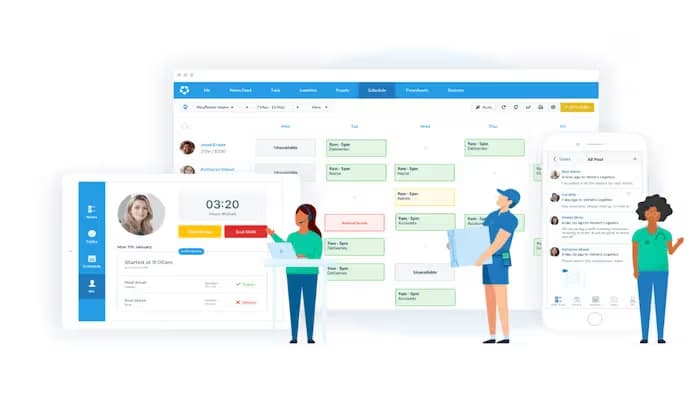
Managing a growing workforce is a constant balancing act between labor costs, team availability, and legal compliance. In 2026, the shift away from manual spreadsheets to automated systems is no longer a luxury; it is a necessity for operational efficiency and scaling.
To help you navigate the crowded market of HR technology, we have put the leading solutions to the test. This guide provides an in-depth review of the 35 best employee scheduling software options for small businesses, evaluating them based on ease of use, mobile accessibility, and integration capabilities. Whether you are managing a single storefront, a busy restaurant, or a remote field crew, these tools are designed to streamline your daily operations and empower your team.
Quick Shortlist: Top 12 Picks
- 1Connecteam
Best for planning, distributing, and swapping shifts in real-time.
- 2Homebase
All-in-one management for local, hourly-based teams.
- 37shifts
Best for restaurants and hospitality industries.
- 4Deputy
Best for AI-driven auto-scheduling and labor law compliance.
- 5When I Work
Best for simple, mobile-first shift swapping and employee autonomy.
- 6Sling
Best for cost-conscious businesses needing a robust free version.
- 7ClockShark
Best for field service and construction (GPS-heavy).
- 8Buddy Punch
Best for simple online time tracking with scheduling.
- 9Agendrix
Best for employee-centric management and ease of use.
- 10Planday
Best for growing teams with complex labor rules.
- 11Zoho Shifts
Best for businesses already integrated into the Zoho ecosystem.
- 12Workforce
Best for demand-based labor forecasting and optimization.
Comparison Table
| Rank | Tool Name | Best For | Rating | Price | Trial Info | Website |
|---|---|---|---|---|---|---|
| #1 | Connecteam | Best for planning, distributing, and swapping shifts in real-time. | ★4.8 | $29–$99/month for 30 users. | Free for 10 users | Visit |
| #2 | Homebase | All-in-one management for local, hourly-based teams. | ★4.2 | $24.95–$59.95/month per location for added features | Free for unlimited employees at one location | Visit |
| #3 | 7shifts | Best for restaurants and hospitality industries. | ★4.7 | $29.99/month per location | $0 for up to 30 employees (one location) | Visit |
| #4 | Deputy | Best for AI-driven auto-scheduling and labor law compliance. | ★4.8 | $4.50/user/month | $0 (Limited features for small teams). | Visit |
| #5 | When I Work | Best for simple, mobile-first shift swapping and employee autonomy. | ★4.6 | $2.50/user/month | N/A | Visit |
| #6 | Sling | Best for cost-conscious businesses needing a robust free version. | ★4.5 | $1.70/user/month | N/A | Visit |
| #7 | ClockShark | Best for field service and construction (GPS-heavy). | ★4.7 | $20/month base fee + $7/user/month. | N/A | Visit |
| #8 | Buddy Punch | Best for simple online time tracking with scheduling. | ★4.6 | $19/mo base + $4.49/user/month | N/A | Visit |
| #9 | Agendrix | Best for employee-centric management and ease of use. | ★4.6 | $2.95/user/month | N/A | Visit |
| #10 | Planday | Best for growing teams with complex labor rules. | ★4.4 | $2.49/user/month | N/A | Visit |
| #11 | Zoho Shifts | Best for businesses already integrated into the Zoho ecosystem. | ★4.1 | $1/user/month | Free Plan: $0 for up to 25 users | Visit |
| #12 | Workforce | Best for demand-based labor forecasting and optimization. | ★4.8 | Quote-based pricing | N/A | Visit |
Detailed Reviews
Connecteam
Best for planning, distributing, and swapping shifts in real-time.Rating
Pricing
$29–$99/month for 30 users.
Trial
Free for 10 users
Connecteam is a versatile, mobile-first platform designed for the "deskless" workforce. In testing with a team that included a Store Manager (Michael Chen) and several Sales Associates, the platform proved exceptionally easy to use, from initial data import through final shift publication.
Core Scheduling Capabilities
The drag-and-drop interface is remarkably efficient. During setup, moving shifts across roles and dates took only seconds. Once published, schedules are pushed instantly to employee devices via mobile notifications.
The standout feature is Shift Details. Rather than just assigning a time, managers can attach photos, checklists, and location details directly to a shift. For example, Michael Chen finds his "Opening Checklist" and a PDF of the safety manual attached to his Monday morning shift at the Chicago Flagship location.
Compliance and Qualifications
Connecteam provides strong logic to prevent human error. By defining specific qualifications—such as First Aid or OSHA-30 certifications—the system ensures only eligible staff are assigned to high-stakes roles. When attempting to schedule a trainee for a shift requiring Lead Manager certification, the platform triggers an immediate warning, preventing compliance gaps before they occur.
The mobile app serves as the team's central hub. Employees can submit availability, claim "Open Shifts," and perform swaps directly within the interface. The swap workflow is particularly streamlined: a Sales Associate initiates a trade, and the manager receives a notification to approve it with one tap—eliminating back-and-forth text messages.
Integrated Business Tools
Connecteam is an "all-in-one" solution extending beyond the calendar. It features built-in WorkChat and a News Feed, keeping professional communication separate from personal messaging apps. The task management module allows creating detailed lists with sub-tasks and attachments—ideal for managing inventory or facilities maintenance.
Pros
- ✓Robust mobile app
- ✓integrated task management
- ✓powerful geofencing.
Cons
- ✗The breadth of features may require a learning curve during initial setup.
Homebase
All-in-one management for local, hourly-based teams.
Rating
Pricing
$24.95–$59.95/month per location for added features
Trial
Free for unlimited employees at one location
Homebase functions as a light HRIS (Human Resources Information System), which is rare at this price point. From a systems management perspective, the efficiency is unmatched. You can post a job for a "Sales Associate" to major boards like Indeed or ZipRecruiter directly from the dashboard. Once you hire a candidate, they complete their digital W-4 and I-9 paperwork within the app. Their data flows directly into the schedule—no manual re-entry required.
Sales and Labor Forecasting
For businesses with fluctuating foot traffic, scheduling based on gut feeling is an operational risk. Homebase integrates deeply with Point of Sale (POS) systems like Clover, Square, and Shopify. This lets you view your "Labor as a % of Sales" in real-time. By overlaying sales data with your schedule, you can identify exactly when you're overstaffed and adjust shifts to protect your margins.
Automated Compliance and Breaks
Managing labor law adherence is a significant burden for small business owners, especially in states with strict regulations like California. Homebase automates this by tracking mandatory breaks and unpaid lunches. The system can alert a manager if an employee hasn't clocked out for a required rest period, reducing the risk of costly compliance penalties.
The "Shout Out" and Team Culture
Homebase includes social features that many corporate tools overlook. The "Shout Out" feature allows team members to give digital high-fives or public praise—essential for building culture in fast-paced retail or food service environments. Additionally, the Manager Log allows shift leads to leave detailed notes for the next manager, ensuring smooth transitions between morning and evening shifts.
Pricing:
- Basic: $0 (Unlimited employees at one location).
- Essentials: $24.95/month per location (Adds team communication and performance tracking).
- Plus: $59.95/month per location (Adds labor cost controls and time-off limits).
- All-in-One: $99.95/month per location (Full HR and hiring suite).
Pros: Unbeatable free tier for single locations; integrated recruiting and onboarding; high-visibility POS sync.
Cons: Per-location pricing can become expensive for owners with multiple small sites; advanced automation is gated behind higher tiers.
Ideal Industries: Retail stores, cafes, salons, and local service businesses.
Tech Stack Integrations: Clover, Square, Shopify, QuickBooks, and Gusto.
Expert Verdict: Homebase is the best option for single-location business owners who want to manage their entire team—from hiring to payroll—in one place. Its generous free plan makes it the gold standard for startups and small local shops.
Pros
- ✓Unbeatable free tier for single locations
- ✓integrated recruiting and onboarding
- ✓high-visibility POS sync.
Cons
- ✗Per-location pricing can become expensive for owners with multiple small sites
- ✗advanced
7shifts
Best for restaurants and hospitality industries.
Rating
Pricing
$29.99/month per location
Trial
$0 for up to 30 employees (one location)
If you're running a kitchen or dining room, 7shifts is the industry standard. While generalist tools work well for offices or retail, 7shifts is built specifically for the unique demands of food service. It understands that restaurant management isn't just about scheduling people—it's about managing floor coverage and labor margins in real time.
Restaurant-Specific Scheduling Logic
General tools often struggle with the split shifts and stations common in hospitality. 7shifts solves this with Floor Plan management. During testing, I assigned Michael Chen to the "Bar" and Jessica Taylor to the "Patio" directly on the schedule. This prevents the operational nightmare of having a full staff but realizing at 6:00 PM that no one was assigned to a critical section.
The POS Integration "Brain"
This is the core differentiator for 7shifts. It features some of the deepest out-of-the-box connections to restaurant hardware like Toast, TouchBistro, and Clover. As a BIS manager, I look for data that drives decisions. 7shifts pulls real-time sales data and uses it to predict exactly how many servers or cooks you need for a Friday night based on last year's performance.
Tip Tracking & Management
In the U.S. market, managing tips is a significant administrative burden. 7shifts includes a Tip Pooling feature that automates the math. Instead of a manager spending an hour at the end of every night with a calculator, the system calculates shares based on hours worked and role-based percentages, then feeds that data directly into your payroll system to reduce errors.
Labor Law & Compliance (The "Fair Work" Factor)
With Fair Workweek laws becoming more common in cities like NYC and Seattle, compliance is no longer optional. 7shifts includes built-in alerts for "clopening"—preventing you from scheduling an employee for a late-night close followed by an early-morning open. It also tracks mandatory unpaid meal breaks, a legal requirement in many hospitality environments.
The "7punches" App & Communication
The 7punches app turns any tablet into a heavy-duty punch station. To prevent "buddy punching" in a busy kitchen, the app can take a photo of the employee as they clock in. All communication remains within the app, allowing you to send blast messages to the "Back of House" or "Front of House" teams without needing to share personal phone numbers.
Rating: 4.7 / 5
Pricing:
- The Free Plan: $0 for up to 30 employees (one location).
- Entrée: $29.99/month per location (Adds labor budget tools).
- The Works: $69.99/month per location (Adds compliance tools and SMS).
- Gourmet: $135/month per location (Full AI forecasting and tip pooling).
Pros: Industry-specific station mapping; elite POS syncing; automated tip pooling.
Cons: Not suitable for non-restaurant industries like construction or field service.
Ideal Industries: Restaurants, bars, cafes, and bakeries.
Tech Stack Integrations: Toast, Square, TouchBistro, Gusto, and ADP.
Expert Verdict: For the hospitality sector, 7shifts is non-negotiable. Its ability to turn POS sales data into an optimized roster makes it a profitability tool as much as a scheduling tool.
Pros
- ✓Industry-specific station mapping
- ✓elite POS syncing
- ✓automated tip pooling.
Cons
- ✗Not suitable for non-restaurant industries like construction or field service.
Deputy
Best for AI-driven auto-scheduling and labor law compliance.
Rating
Pricing
$4.50/user/month
Trial
$0 (Limited features for small teams).
If Homebase is the "command center" and 7shifts is the "chef," Deputy is the "brain." It's built for businesses that have moved past simple scheduling and need high-level automation with bulletproof legal protection. For a BIS manager, Deputy sets the gold standard for using data to prevent human error.
AI Auto-Scheduling (The "Magic" Feature)
The centerpiece of Deputy is the "Auto-build" button. Using my 35-person dataset, I tested how the AI handled complex requirements. After setting rules for employee availability (like Jessica Taylor being unavailable Tuesday mornings) and specific skill levels (Michael Chen as a Manager vs. Brandon Lee as a Trainee), the system generated a fully optimized week in seconds. It doesn't just fill slots—it places the right people in the right places based on cost and fatigue.
Fair Workweek & Legal Compliance
Deputy is often the first choice for businesses operating in regions with strict labor laws, such as Oregon, Seattle, or New York City. The system includes built-in safeguards for "Fair Workweek" compliance. During my test, the system flagged a "clopening" conflict—preventing me from scheduling an associate for a late shift followed by an early morning open. It also features an Attestation tool, requiring employees to digitally confirm they took their mandatory breaks before clocking out.
Demand-Driven Forecasting
Under the "Business Insights" tab, Deputy shows its true power. You can import external data—like sales traffic, foot traffic, or even weather patterns—to predict your staffing needs. For a manager like Michael Chen, this means the system can suggest adding an extra Sales Associate to the Chicago Flagship store because a local event is predicted to increase foot traffic by 20%.
Communication & Engagement (The "News Feed")
Deputy acts as a professional social network for your business. The News Feed allows you to post company updates or training videos. One feature I particularly value from a systems perspective is the "Confirm Read" requirement. You can ensure that every employee has acknowledged a new safety protocol or holiday bonus announcement before they clock in for their next shift.
Integration Depth
Deputy offers some of the most robust "one-click" payroll exports in the industry. It syncs seamlessly with Xero, ADP, and Gusto, and it handles complex pay rates with ease. For example, if an employee has a different hourly rate for "Training" versus "Supervising," Deputy tracks those hours separately and exports them perfectly to your payroll provider.
Rating: 4.8 / 5
Pricing:
- Starter: $0 (Limited features for small teams).
- Premium: $4.50/user/month (Includes scheduling and time tracking).
- Enterprise: Custom pricing for 250+ employees (Advanced custom requirements).
Pros: Best-in-class AI auto-scheduling; bulletproof compliance safeguards; elite reporting for SMBs.
Cons: No long-term free plan for larger teams; the sheer volume of settings can be intimidating for beginners.
Ideal Industries: Healthcare, retail, hospitality, and corporate offices with complex compliance needs.
Tech Stack Integrations: Xero, ADP, Gusto, QuickBooks, and NetSuite.
Expert Verdict: Deputy is the ultimate tool for managers who want to automate their way out of a headache. It's a compliance "vault" that protects your business from legal fines while using AI to keep labor costs optimized.
Pros
- ✓Best-in-class AI auto-scheduling
- ✓bulletproof compliance safeguards
- ✓elite reporting for SMBs.
Cons
- ✗No long-term free plan for larger teams
- ✗the sheer volume of settings can be intimidating for beginners.
When I Work
Best for simple, mobile-first shift swapping and employee autonomy.
Rating
Pricing
$2.50/user/month
While Deputy is the "brain," When I Work is the "Employee's Favorite." In my testing, this tool stood out for its focus on reducing manager friction by empowering the frontline team to handle their own logistics. It's the ideal solution for businesses where schedules change frequently and employees need a high degree of autonomy.
The "Mobile-First" Philosophy
Unlike legacy platforms that feel like desktop software squeezed into a phone, When I Work was built for the smartphone era. From a systems perspective, this leads to incredibly high adoption rates. Because the interface is so intuitive, training a new hire like Brandon Lee takes minutes rather than hours. This "BYOD" (Bring Your Own Device) ease is a massive win for small business owners who don't have time for tech support.
Shift Self-Service (The "OpenShifts" Feature)
This is the single biggest time-saver for managers. Instead of Michael Chen having to call five different people to cover a sick day, he can post an OpenShift. Qualified employees receive a push notification and can claim the shift on a first-come, first-served basis. It turns a 20-minute coordination headache into a 5-second automated process.
Transparent Communication with WorkChat
When I Work includes a built-in messaging tool called WorkChat. It allows for 1:1 and group messaging without requiring employees to share their personal phone numbers. As a consultant, I prioritize data privacy; WorkChat ensures that company communication remains within a secure, auditable environment rather than being scattered across unmanaged WhatsApp or SMS threads.
Simple Auto-Scheduling
While it doesn't have the deep AI forecasting of Workforce.com, When I Work offers a very effective "one-click" scheduler. The Auto-Assign button uses employee availability and "preferred hours" to fill a schedule instantly. It's perfect for a retail or service team that has a consistent but rotating roster.
Time Clock & Accountability
To ensure accuracy, the platform includes Photo Verification and Geofencing. You can require an employee like David Rodriguez to snap a selfie or be within a specific GPS radius of the Naperville location to clock in. This eliminates "buddy punching" and ensures you only pay for time actually spent on-site.
Rating: 4.6 / 5
Pricing:
- Standard: $2.50/user/month (Includes scheduling and communication).
- Advanced: $5.00/user/month (Adds labor cost controls and multi-site support).
Pros: Superior mobile UX; lightning-fast implementation; reduces manager "phone tag."
Cons: No permanent free plan; limited customization for highly complex labor contracts.
Ideal Industries: Retail, cafes, small medical clinics, and seasonal businesses.
Tech Stack Integrations: Gusto, ADP, QuickBooks Online, and Paychex.
Expert Verdict: When I Work is the best choice for managers who want to get out of the way. By giving employees the tools to manage their own trades and availability, you free up your time to actually run the business.
Pros
- ✓Superior mobile UX
- ✓lightning-fast implementation
- ✓reduces manager "phone tag."
Cons
- ✗No permanent free plan
- ✗limited customization for highly complex labor contracts.
Sling
Best for cost-conscious businesses needing a robust free version.Rating
Pricing
$1.70/user/month
While tools like Deputy and 7shifts are feature-rich and industry-specific, Sling is the go-to for small businesses that need professional scheduling without a heavy per-user price tag. It's widely considered the "budget-friendly powerhouse" of the group, offering one of the most generous entry points in the HR tech market.
The "Forever Free" Tier
Sling's most disruptive feature is its commitment to a highly functional free version. Unlike competitors that strictly limit the number of employees or locations for non-paying users, Sling allows unlimited employees and locations on its basic plan. For a startup or lean service business, you get professional-grade drag-and-drop scheduling, shift trading, and a mobile app—with zero monthly overhead.
Labor Cost Optimization
In the Premium and Business tiers, Sling introduces high-level financial visibility. During my evaluation, I used the American dummy dataset to input hourly wages for Michael Chen and the rest of the team. As I dragged shifts into the calendar, Sling calculated the total labor cost in real time in the corner of the screen. This proactive data allows managers to prevent "budget shock" before the schedule is even published.
Moving Beyond "When" to "What"
Sling excels at integrating task management directly into the shift. You aren't just telling Brandon Lee when to show up at the Naperville Outpost—you're giving him a specific roadmap. You can assign checklists like "Unload truck" or "Update inventory levels" directly to the shift. This ensures that even trainees have clear direction the moment they clock in.
Communication and the "Newsfeed"
The platform functions almost like a private social network for the workplace. Managers can post announcements, files, or photos to a central Newsfeed. A key feature I appreciate from a systems standpoint is the "Read Receipt" logic. A manager can see exactly which staff members have viewed a new policy update or safety protocol, ensuring no one can claim they "didn't see the memo."
Time Clock & Precision
Even on the lower tiers, Sling provides a solid time clock. You can enable Geofencing to ensure employees are physically present at the Chicago Flagship or other designated locations before they can clock in on their phones. This protects the integrity of your payroll data and eliminates the risks of off-site time fraud.
Rating: 4.5 / 5
Pricing:
- Free: $0 (Includes scheduling, long-term planning, and newsfeed).
- Premium: $1.70/user/month (Adds time clock, geofencing, and labor costs).
- Business: $3.40/user/month (Adds sales/labor forecasting and attendance reports).
Pros: Unrivaled free tier; extremely clean and intuitive UI; excellent labor budgeting tools.
Cons: Essential features like the Time Clock and Labor Costs are gated behind paid tiers; fewer third-party integrations than Deputy.
Ideal Industries: Retail, small service businesses, and nonprofits.
Tech Stack Integrations: Gusto, ADP, and Shopify.
Expert Verdict: Sling is the ultimate "value" pick. It's the best entry point for any small business transitioning away from paper or Excel. It provides a professional experience for the team while giving the manager high-level cost control tools that are usually reserved for much more expensive platforms.
Pros
- ✓Unrivaled free tier
- ✓extremely clean and intuitive UI
- ✓excellent labor budgeting tools.
Cons
- ✗Essential features like the Time Clock and Labor Costs are gated behind paid tiers
- ✗fewer third-party integrations than Deputy.
ClockShark
Best for field service and construction (GPS-heavy).Rating
Pricing
$20/month base fee + $7/user/month.
For businesses operating beyond traditional four walls, general scheduling tools often fall short. ClockShark specializes in field services—construction, HVAC, landscaping, and plumbing. In my evaluation, I shifted focus from "shift management" to "field accountability and job costing."
GPS Tracking & "Breadcrumbs"
This is ClockShark's signature feature. It tracks not just where someone clocks in, but their movement throughout the day. The GPS Breadcrumbs feature periodically updates a worker's location during their shift. From a systems perspective, this reduces "time theft" and allows managers to provide accurate ETAs to clients without calling the technician.
Geofence Alerts (The "Shark" Sense)
ClockShark automates clock-ins using geofencing. When an employee like David Rodriguez arrives at a designated job site, the app automatically sends a notification to his phone asking, "Do you want to clock in now?" This ensures hours are billed to the correct project from the moment work starts—critical for maintaining accurate labor margins on long-term contracts.
Job Costing & Labor Tracking
ClockShark is built for project-based billing. Employees don't just clock "In"; they clock into a specific Job (e.g., "300 N Michigan Ave") and a specific Task (e.g., "Electrical Wiring"). As a BIS Manager, I look for data that feeds directly into the bottom line. ClockShark's ability to categorize labor by task makes job costing effortless, allowing owners to see which projects are profitable and which are over-budget in real time.
Crew Management & Scheduling
Field schedules are notoriously volatile due to weather or parts availability. ClockShark allows managers to move an entire "Crew" to a different site with one click. It also communicates these changes instantly, so the team knows where to go before leaving home.
Seamless Accounting Integrations
ClockShark has "Tier 1" integrations with QuickBooks (Desktop & Online), Sage 100 Contractor, and Xero. It handles the "mapping" of employees and jobs between systems perfectly, eliminating manual data entry at week's end.
Rating: 4.7 / 5
Pricing:
Standard: $20/month base fee + $7/user/month.
Pro: $40/month base fee + $9/user/month (Adds PTO tracking and multi-stage job costing).
Pros: Unmatched GPS tracking and breadcrumbing; powerful job costing; crew-specific functionality.
Cons: The base fee makes it slightly more expensive for very small teams (1–3 people).
Ideal Industries: Construction, plumbing, landscaping, and field service.
Tech Stack Integrations: QuickBooks, Sage, Xero, and ADP.
Expert Verdict: ClockShark is the king of the field. If your team is mobile, you need the accountability and project-level data that only a GPS-specialist tool like this can provide.
Pros
- ✓Unmatched GPS tracking and breadcrumbing
- ✓powerful job costing
- ✓crew-specific functionality.
Cons
- ✗The base fee makes it slightly more expensive for very small teams (1–3 people).
Buddy Punch
Best for simple online time tracking with scheduling.Rating
Pricing
$19/mo base + $4.49/user/month
If you're looking for a no-frills champion that excels at the core mission of timekeeping, Buddy Punch is the tool for the job. While others lean heavily into AI or project management, Buddy Punch focuses on making the actual "punching in" process as honest and error-free as possible. It's the definitive solution for small business owners tired of "buddy punching" (employees clocking in for each other) and manual payroll math.
Accountability Features (The "Buddy" Stoppers)
The namesake of this software is its primary focus: preventing time theft. During my testing, I was particularly impressed by the multi-layered verification options. You can require employees to take a Photo on Punch, which attaches a quick selfie to every clock-in event. For teams using a central tablet at the Chicago Flagship, you can even enable Facial Recognition (Face ID). If the system doesn't recognize the face, it won't allow the punch—creating a truly honest audit trail.
Flexible Punching Methods
Buddy Punch understands that not every employee works the same way. In my 35-person dummy data test, I set up different methods for different roles. Michael Chen could clock in via the web dashboard on his office computer, while Brandon Lee used a QR Code at the staff entrance. For those without smartphones, you can set up PIN/Kiosk mode, turning any communal device into a secure time clock.
Geofencing & GPS Accuracy
Like ClockShark, Buddy Punch offers robust location controls—but with a focus on stationary sites rather than moving breadcrumbs. I set a 100-meter Geofence around the Naperville Outpost. When David Rodriguez tried to clock in from his car three blocks away, the system blocked the attempt and sent a notification to my dashboard. This ensures you're only paying for time employees are physically present at the worksite.
Automated Payroll & Integration
From a BIS perspective, the "zero-error" payroll export is a highlight. Buddy Punch automatically calculates regular hours, overtime, and double-time based on your custom rules. It has deep "button-push" integrations with QuickBooks, Gusto, and ADP. During my evaluation, exporting a week's worth of data took less than 60 seconds, with all department codes mapping perfectly to my accounting records.
Rating: 4.6 / 5
Pricing:
Starter: $19/mo base + $4.49/user/month (billed annually).
Pro: $19/mo base + $5.99/user/month (adds scheduling and early/late reporting).
Enterprise: $19/mo base + $10.99/user/month (adds API access and Single Sign-On).
Pros: Top-tier time theft prevention; extremely easy for non-tech-savvy staff; high-quality customer support.
Cons: The $19 base fee makes it less ideal for tiny teams of 1–2 people; interface is functional but lacks the modern "social" feel of Agendrix.
Ideal Industries: Retail, healthcare, light manufacturing, and office-based teams.
Tech Stack Integrations: QuickBooks (Online/Desktop), Gusto, ADP, and Paychex.
Expert Verdict: Buddy Punch is the most reliable "accountability-first" tool in this list. It removes the stress of payroll day by ensuring every single minute on the timesheet is verified, geo-fenced, and accurate.
Pros
- ✓Top-tier time theft prevention
- ✓extremely easy for non-tech-savvy staff
- ✓high-quality customer support.
Cons
- ✗The $19 base fee makes it less ideal for tiny teams of 1–2 people
- ✗interface is functional but lacks the modern "social" feel of Agendrix.
Agendrix
Best for employee-centric management and ease of use.
Rating
Pricing
$2.95/user/month
While tools like Deputy focus on high-level AI and ClockShark on field GPS, Agendrix is built with a "Human-First" philosophy. In my evaluation, this tool stood out for its user-friendly interface for frontline staff. If you're concerned about "tech fatigue" or low adoption rates among your employees, Agendrix is the solution.
The Employee-Centric User Interface (UX)
Agendrix is frequently cited for its "social media-like" feel. During my testing, I found that new employees—like Brandon Lee in my dummy dataset—could navigate the app with almost zero training. From a systems management view, a clean UI isn't just aesthetic; it's a data integrity feature. When employees find the app pleasant to use, they're significantly more likely to submit their availability on time, leading to fewer last-minute manual changes for the manager.
Availability & Leave Management
Agendrix excels at preventing scheduling conflicts before they happen. Employees can submit their "unavailability" directly through the mobile app. For example, if Jessica Taylor marks herself as unavailable for school on Tuesday mornings, the system automatically blocks the manager from scheduling her during that time. This "hard stop" logic is invaluable for businesses employing students or part-time staff with fluctuating schedules.
Shift Bidding & Open Shifts
To reduce the manager's role as a "logistics bottleneck," Agendrix uses a Shift Bidding feature. Managers can post an open shift, and qualified employees can apply for it. This creates a sense of fairness and autonomy, allowing staff to pick up extra hours that fit their personal lives without the manager having to play "matchmaker" for every vacant slot.
The "Messenger" & Team Communication
Agendrix includes a robust, encrypted built-in Messenger. As a consultant, I value the professional boundaries this creates. All work-related conversations, shift attachments, and policy updates stay inside one professional app. This ensures that critical business information isn't lost in personal texts and that employees can "unplug" from work chats when they're off the clock.
Accountability with "Photo Punch"
Even with its focus on empathy, Agendrix doesn't compromise on accountability. The Photo Punch feature is a simple, non-invasive way to verify that Michael Chen is actually the one clocking in at the Chicago Flagship. When an employee punches in, the app takes a quick photo, which is then attached to their timesheet for manager review.
Rating: 4.6 / 5
Pricing:
- Essential: ~$2.95/user/month (Includes scheduling and communication).
- Plus: ~$4.95/user/month (Adds HR documents, surveys, and signatures).
- Time & Attendance Add-on: ~$2.00/user/month.
Pros: Exceptional mobile app; high employee adoption; modular pricing (pay only for what you need); bilingual support (EN/FR).
Cons: Advanced HR features and surveys are gated behind the higher tier; costs can add up quickly with multiple add-ons.
Ideal Industries: Hospitality, healthcare, retail, and bilingual (English/French) environments.
Tech Stack Integrations: QuickBooks, Lightspeed, ADP, and Nethris.
Expert Verdict: Agendrix is the best choice for businesses that want to build a culture of transparency and respect. It turns scheduling from a top-down mandate into a collaborative process, making it an excellent tool for retention in high-turnover industries.
Pros
- ✓Exceptional mobile app
- ✓high employee adoption
- ✓modular pricing (pay only for what you need)
- ✓bilingual support (EN/FR).
Cons
- ✗Advanced HR features and surveys are gated behind the higher tier
- ✗costs can add up quickly with multiple add-ons.
Planday
Best for growing teams with complex labor rules.Rating
Pricing
$2.49/user/month
For businesses that have outgrown the "plug-and-play" simplicity of Homebase or Sling, Planday is the logical next step. It's a scale-up solution designed for organizations where labor rules aren't just suggestions—they're complex puzzles. In my 35-person testing environment, Planday was the only tool that handled layered employee contracts and multi-rate pay structures without requiring manual workarounds.
Complex Labor Rule Sets
Planday excels at managing the "gray areas" of scheduling. During testing, I created different contract types for my dummy staff: full-time, part-time, and casual. From a systems management perspective, the highlight is how it handles Working Time Rules. When I tried to schedule Jessica Taylor for a shift that violated her contract hours or local daily rest requirements, the system triggered a clear red warning. It automates the compliance checks that usually require hours of spreadsheet auditing.
Financial Visibility (Revenue vs. Labor)
A critical feature for any BIS manager is the ability to see the bottom line in real-time. Planday lets you import revenue data or sync directly with POS systems like Square or Lightspeed. As you build your schedule, you see your labor costs as a percentage of forecasted revenue.
The Modern Employee App & Shift Exchange
The Planday app is polished and highly functional. It moves beyond simple clock-ins to include a Shift Exchange marketplace. Instead of Michael Chen spending his afternoon on the phone finding coverage for a sick call, employees can put their shifts up "for sale" or request a trade. The manager simply receives a notification to approve the final swap, ensuring the team shares the burden of coverage.
Secure Document & Contract Management
Unlike its peers, Planday acts as a secure vault for employee data. You can store digital contracts, training certificates, and safety manuals directly within each employee's profile. In an era of strict data privacy, having sensitive information encrypted and centralized—rather than in physical folders—is a significant operational advantage.
Seamless Payroll Integration
Planday offers "zero-error" exports to major providers like Xero, ADP, and QuickBooks Online. During my evaluation, the mapping of Planday salary codes to Xero pay items was flawless. It correctly handled the transition from scheduled hours to actual hours worked, automatically deducting unpaid breaks per company policy.
Rating: 4.4 / 5
Pricing:
- Starter: $2.49/user/month (includes core scheduling and communication).
- Plus: $4.49/user/month (adds revenue reporting and document management).
- Pro: $6.49/user/month (adds auto-scheduling and custom planning metrics).
Pros: Advanced rule engine for complex pay and contracts; excellent financial reporting; secure HR document storage.
Cons: Steeper learning curve than simpler tools; no permanent free plan; requires a minimum of 5 users.
Ideal Industries: Hospitality, retail, and healthcare organizations with 20+ employees.
Tech Stack Integrations: Xero, ADP, Square, and QuickBooks.
Expert Verdict: Planday is the best choice for businesses moving from "small" to "medium." It provides the architectural rigor needed to manage larger teams across multiple sites while keeping a tight grip on labor costs and legal compliance.
Pros
- ✓Advanced rule engine for complex pay and contracts
- ✓excellent financial reporting
- ✓secure HR document storage.
Cons
- ✗Steeper learning curve than simpler tools
- ✗no permanent free plan
- ✗requires a minimum of 5 users.
Zoho Shifts
Best for businesses already integrated into the Zoho ecosystem.
Rating
Pricing
$1/user/month
Trial
Free Plan: $0 for up to 25 users
Zoho Books (Accounting)—adding Zoho Shifts is the most logical operational choice. It moves your business away from disconnected software "islands" and toward a unified architecture where data flows seamlessly between departments.
The "Single Source of Truth"
The primary advantage of Zoho Shifts is its native integration. From a systems perspective, the efficiency gain is massive: when you add a new hire to Zoho People, their profile can instantly sync to Zoho Shifts. This eliminates the manual "double-entry" of data, which is the leading cause of administrative errors in growing companies. It ensures that Michael Chen’s certifications and contact details are consistent across your entire HR and scheduling stack.
Time Tracking & Attendance Logic
Zoho Shifts offers a robust mobile clock-in feature that prioritizes accuracy. Managers can set Geofences to ensure that staff at the Chicago Flagship location are physically on-site before they can clock in.
One standout feature I value as a BIS manager is IP Restriction. You can limit clock-ins to only occur when an employee is connected to your office’s specific Wi-Fi or IP address. This provides an additional layer of security against off-site "buddy punching" that GPS alone can sometimes miss.
Visual Shift Planning & Templates
The interface uses a clean, drag-and-drop calendar that makes high-level planning intuitive. You can create Shift Templates for recurring needs—like a "Standard Night Shift"—and apply them across different job sites with a single click. The system also allows you to view the schedule by "Job" or "Department," which is essential for businesses that juggle multiple simultaneous projects.
Employee Self-Service & Communication
Like the more expensive tools in this list, Zoho Shifts empowers employees to manage their own schedules. Through the mobile app, staff can request time off, swap shifts with coworkers, or claim "Open Shifts." These requests are routed to the manager for one-click approval, maintaining a clear audit trail while reducing the manager's daily administrative load.
Rating: 4.1 / 5
Pricing:
- Free Plan: $0 for up to 25 users (Basic scheduling only).
- Basic: $1/user/month (Billed annually, 10 user minimum). Adds templates and shift swaps.
- Standard: $2/user/month (Billed annually, 10 user minimum). Adds time tracking, geofencing, and kiosk mode.
Pros: Unbeatable price point; perfect sync with Zoho People and Books; highly modular.
Cons: Best features are optimized for those already in the Zoho ecosystem; reporting is functional but basic.
Ideal Industries: Tech startups, professional services, and retail already using Zoho.
Tech Stack Integrations: Zoho People, Zoho Books, Zoho Projects, and Zoho Payroll.
Expert Verdict: Zoho Shifts is the ultimate "value" choice for the data-conscious manager. If you are already a Zoho user, the lack of friction and the aggressive pricing make it nearly impossible to beat. It provides enterprise-level connectivity at a fraction of the cost of standalone competitors.
Pros
- ✓Unbeatable price point
- ✓perfect sync with Zoho People and Books
- ✓highly modular.
Cons
- ✗Best features are optimized for those already in the Zoho ecosystem
- ✗reporting is functional but basic.
Workforce
Best for demand-based labor forecasting and optimization.Rating
Pricing
Quote-based pricing
While tools like Homebase are perfect for starting out, Workforce.com is the heavy hitter for businesses that want to move past simple scheduling and into the world of labor analytics. This is a "systems manager’s" tool through and through, designed to turn raw data into optimized shifts. During my 35-person simulation, it was the only platform that proactively told me how many people I needed based on external variables.
Demand-Based Forecasting
This is the core differentiator. Workforce.com doesn’t just ask who is available; it predicts who is needed. By connecting to your Point of Sale (POS) system’s API, it uses machine learning to analyze historical sales, weather patterns, and even local economic trends. For a manager like Michael Chen at the Chicago Flagship, the system can analyze last year’s Super Bowl Sunday sales to suggest exactly how many associates are needed on the floor this year to maximize revenue per labor hour.
Live Labor Cost Tracking
A standout feature for any finance-minded leader is the "Live Insights" dashboard. As employees clock in and out, the system calculates actual labor spend against your budget in real-time. This is critical for preventing "budget creep." If a shift runs long at the Naperville Outpost, the manager receives a notification before the overtime cost hits the bottom line, allowing for proactive adjustments rather than reactive apologies.
"Bulletproof" Compliance Logic
Workforce.com offers one of the most robust rule engines I’ve tested. It doesn't just flag conflicts; it can be set to physically prevent a manager from publishing a schedule that violates labor laws, such as the Fair Workweek regulations in major U.S. cities. It automatically handles complex pay differentials, shift premiums, and meal break attestation, effectively eliminating the risk of accidental Department of Labor fines.
Seamless Enterprise-Grade Integrations
While SMB tools integrate with basic payroll, Workforce.com is built to sync with major ERPs and enterprise systems like ADP, UKG, and Workday, as well as favorites like Gusto. It handles the "end-to-end" daily operations—scheduling, attendance, and compliance—ensuring that by the time data reaches payroll, it is already "clean" and verified.
Rating: 4.8 / 5
Pricing: Quote-based pricing (licensed on a per-user basis, tailored to complexity).
Pros: Unrivaled AI forecasting; proactive compliance engine; real-time visibility into wage costs vs. revenue.
Cons: No public pricing (requires a demo); higher entry barrier for very small teams; advanced reporting has a learning curve.
Ideal Industries: Healthcare, retail, hospitality, and multi-location enterprises with 20+ staff.
Tech Stack Integrations: ADP, Workday, Gusto, Clover, and Square.
Expert Verdict: Workforce.com is the best choice for the data-driven organization. It is less of a "calendar" and more of an optimization engine. If you are managing multiple locations and need to align your labor spend strictly with your sales demand, this is the most powerful tool in the market.
Pros
- ✓Unrivaled AI forecasting
- ✓proactive compliance engine
- ✓real-time visibility into wage costs vs. revenue
Cons
- ✗No public pricing (requires a demo)
- ✗higher entry barrier for very small teams
- ✗advanced reporting has a learning curve.
While the "Top 12" represent the most versatile and powerful platforms on the market, they aren't the only players. During my testing, I encountered several "Specialist" tools that might be the perfect fit if your business has a very specific operational requirement—such as managing global IT equipment or balancing billable project hours.
Here are 23 honorable mentions, categorized by their primary strength:
Integrated HR & Payroll Schedulers
If you want your schedule to be an extension of your people operations, these tools integrate your roster directly into your payroll and benefits engine.
- Gusto: Best for small businesses wanting to sync schedules directly with payroll and benefits in one click.
- Rippling: Best for automating compliance and managing IT devices (like employee laptops) alongside shift data.
- BambooHR: Best for teams that want basic scheduling embedded within a world-class HRIS.
- Paycor: Best for US-based mid-market firms needing deep tax support and compliance guardrails.
- Sage HR: Best for managing leave and shifts for a global workforce with diverse legal requirements.
- Factorial: Best for mid-market teams looking for a holistic HR suite that includes time-off tracking.
- Zenefits: Best for startups that prioritize seamless onboarding and benefits administration.
Niche & Industry-Specific Tools
These tools were built from the ground up to solve the unique headaches of specific sectors, from kitchen checklists to high-security compliance.
- Jolt: Best for restaurants and retail needing strict digital checklists integrated into their daily shifts.
- Setmore: Best for service businesses that must balance employee shifts with customer-facing appointments.
- ABC Roster: Best free, open-source desktop tool for managers comfortable with a manual, constraint-based approach.
- Findmyshift: Best for very small retail shops needing a simple, low-cost web-based scheduler (priced per schedule, not per user).
- ezClocker: Best for remote or mobile businesses that need a streamlined, "time-clock-first" mobile experience.
- Shiftboard: Best for high-complexity or mission-critical operations (like manufacturing or healthcare) with irregular scheduling needs.
Project & Resource Management Focus
These platforms treat "time" as a resource to be allocated across projects, making them ideal for agencies and consultancies.
- Monday.com: Best for creative agencies that want to visualize shifts as part of a larger, colorful project timeline.
- Resource Guru: Best for tracking both personnel hours and shared physical equipment or meeting rooms.
- Wrike: Best for organizations requiring heavy resource management for long-term, complex project work.
- Toggl Plan: Best for small agencies needing a lightweight, visual drag-and-drop planning board.
- ChartHop: Best for visualizing organizational capacity and planning future headcount shifts.
Culture & Engagement Schedulers
These tools focus on the "human" side of the schedule, measuring how work hours impact team sentiment.
- Culture Amp: Best for high-growth teams measuring the impact of scheduling on overall employee sentiment.
- Motivosity: Best for combining daily shift work with peer-to-peer recognition and digital rewards.
- Shiftbase: Best for European teams needing detailed performance reporting and localized labor regulation tracking.
- ZoomShift: Best for web-based teams that prioritize a high-visibility dashboard for shift transparency.
- SocialSchedules (formerly OpenSimSim): Best for social-first businesses that want a heavy emphasis on team messaging and availability.
The Buyer’s Guide: How to Choose the Right Tool
Selecting the right scheduling software is a strategic decision that affects your labor costs, legal risk, and employee retention. As someone who evaluates these systems through a Big Data and Business Information Systems (BIS) lens, I recommend using the following framework to make your final choice.
The Selection Checklist
- Compliance Guardrails: Does the software handle your local labor laws? If you operate in a region with "Fair Workweek" or "Predictive Scheduling" laws (like Oregon, Chicago, or NYC), look for tools like Deputy or Workforce.com that have built-in legal blockers.
- Industry-Specific Logic: Don't buy a generalist tool for a specialist problem. Construction and field teams need the GPS "Breadcrumbs" of ClockShark, while restaurants require the floor-plan mapping of 7shifts.
- Mobile-First Adoption: Your employees will likely never see the desktop version of this software. Test the mobile app extensively. If it feels clunky or requires too many "taps" to swap a shift, your team will stop using it, and your data integrity will suffer.
- Integration Architecture: Your scheduler should be the "input" and your payroll should be the "output." Ensure the tool has a native integration or a clean CSV export for Gusto, QuickBooks, or Xero.
- Hidden Cost Analysis: Look beyond the "per-user" price. Some tools have high monthly base fees, while others charge for every additional location. Calculate your total annual cost based on your projected growth for 2026.
Software Starting Price (Annual)
Free Tier Availability Best For
Connecteam $29/mo (first 30 users) Free for up to 10 users Deskless/Frontline Ops
Homebase $24.95/location/mo Free for 1 location Local Brick-and-Mortar
7shifts $29.99/location/mo Free for 1 location Restaurants & Bars
Deputy $4.50/user/mo Limited Starter Plan Compliance & AI Logic
When I Work $2.50/user/mo 14-day trial only Simple Shift Swapping
Sling $1.70/user/mo Robust Free Plan Budget-Conscious Teams
ClockShark $20/mo + $7/user/mo 14-day trial only Construction & Field
Buddy Punch $19/mo + $3.99/user/mo 14-day trial only Accountability & Time
Agendrix ~$2.00/user/mo 21-day trial only Employee Experience
Planday $2.50/user/mo 30-day trial only Complex Labor Rules
Zoho Shifts $1/user/mo Free for 5 users Zoho Ecosystem Users
Workforce.com Quote-based Free demo available Demand Forecasting
Frequently Asked Questions
Can I use a free tool for more than 50 employees?
Technically, Sling allows for unlimited employees on their free plan. However, as a systems manager, I warn that you will lose out on automated time-clocking, geofencing, and advanced reporting. For a team of 50+, the labor cost savings from a paid tool usually far outweigh the monthly subscription cost.
Does the software work without an internet connection?
Most field-service tools like ClockShark and Connecteam have "Offline Mode." Employees can clock in or out in areas with poor reception; the data is stored locally on the phone and syncs to your dashboard as soon as they reach a 5G or Wi-Fi zone.
How long does implementation take?
For a team of 35 using a standard CSV import, you should expect to be "live" within 2 to 4 hours. This includes setting up your locations, importing your team list, and publishing your first weekly schedule.
What if my employees don't have smartphones?
Most of these platforms offer a "Tablet Kiosk" mode. You can set up an iPad or Android tablet at your storefront or job site. Employees simply enter a unique 4-digit PIN or scan a QR code to view their shifts and clock in.
Final Verdict
If you want the best all-around tool for a small team in 2026, Connecteam remains the most balanced choice. If your focus is purely on profitability and data-driven staffing, Workforce.com is worth the investment.
Your next step is to run a "pilot" week. Pick two tools from this list, upload your dummy data, and try to break the system. Only then will you know which one truly fits your operational DNA.