Students learn best when the right tool is ready at the right moment. Laptops, tablets, and phones can all help, but only if the room and routines support them. Here are practical ways to design learning spaces that welcome flexibility without losing focus.
Define The Device Strategy Early
Write a brief policy that can be explained in less than two minutes by anyone. This is what many schools refer to as BYOD, and the strategy functions best when you specify which devices are allowed and why. Keep requirements simple, so students arrive prepared, and faculty can teach, not troubleshoot.
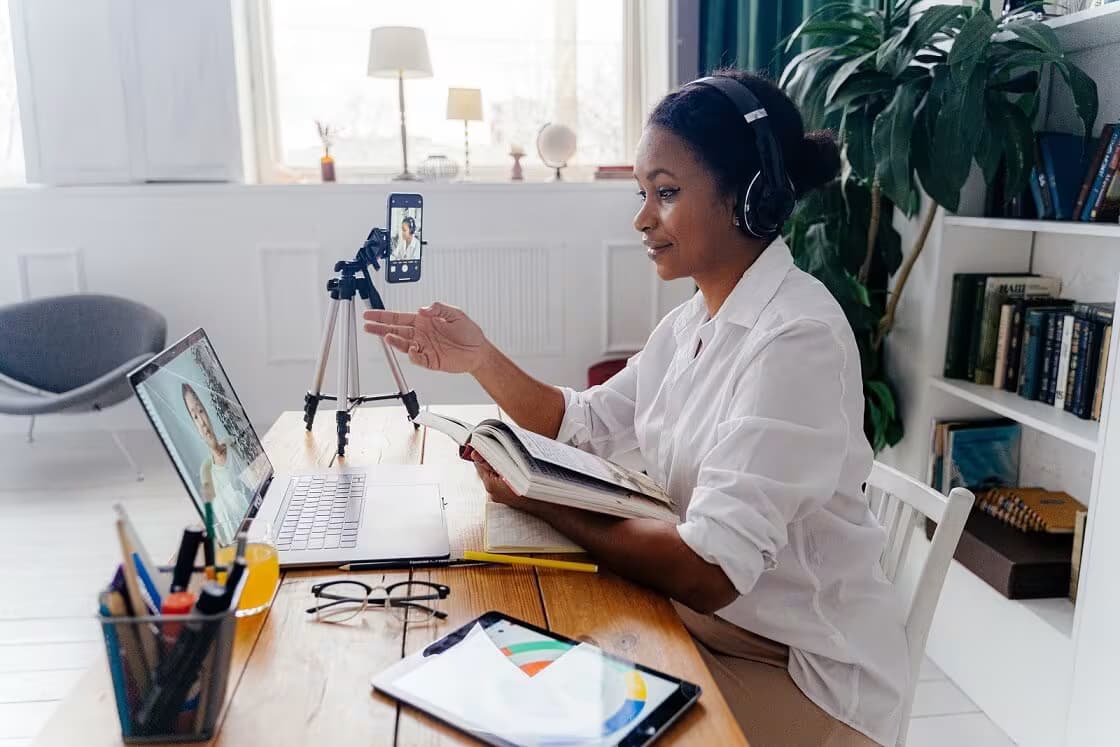
One university guide shows a clear approach by asking undergraduates to carry both a tablet and a laptop, signaling that creation and annotation may need different tools.
Share model lists, minimum specs, and example tasks during orientation. Ask instructors to note any course-specific apps or accessories in the syllabus.
Clear communication helps reduce confusion before the semester begins. Providing sample workflows shows students how their devices will actually support their learning. Posting FAQs online allows students to quickly resolve common questions without staff intervention.
A consistent device strategy helps IT teams prepare support resources in advance. When everyone understands the expectations, the entire learning environment functions more smoothly.
Set Clear Classroom Norms And Boundaries
Space design only works if expectations are visible and fair. Some districts choose tighter control to keep classes on task, and a large urban system recently limited classroom use to district-issued devices starting in the 2024-25 school year.
Even if personal devices are allowed, decide where phones live during tests, how cameras are used in labs, and when messaging apps are off limits.
Post a 3-step progression for off-task behavior and rehearse it in week 1. Consistency protects attention and lowers stress for both teachers and students.
Battery life turns into learning time when you plan. A dental program’s guidance recommends student laptops with at least 6 hours of runtime, which serves as a useful baseline for long lab sessions and clinics.
In the room, aim for one outlet per two seats, add floor boxes along the aisles, and keep a few loaner chargers at the help desk.
Cable clutter distracts. Use furniture with built-in power and place a few charging lockers near exits so students can top up during breaks.
Build Support And Equity Into The Space
Flexible device use should widen the door, not narrow it. Keep a small pool of loaner laptops for day-long checkouts and a few tablets with accessibility settings preconfigured.
Place help points where eyes naturally go when students enter, and set up a self-serve kiosk with QR codes for quick guides.
Use rolling tables and light chairs so you can flip between seminar and sprint work in 60 seconds. Add whiteboards on every wall, plus a mobile camera stand so small groups can capture, process, not just results.
Create quiet nooks for students who need low-stim environments to focus or decompress. Include power outlets and charging hubs throughout the room so access to devices never becomes a barrier.
Clear signage, intuitive layouts, and color-coded zones guarantee every student can navigate the space without hesitation. Integrating these thoughtful design elements helps make the environment genuinely inclusive, adaptable, and supportive of all learning styles.

Make The Network And Apps Seamless
Great device plans fail without bandwidth. Size Wi-Fi for peak loads, survey the dead zones, and use multiple SSIDs with role-based access so guests, students, and staff each get the right slice of the network.
Add a simple way to deliver specialized software so learning is not tied to a single machine.
- Offer virtualized apps so students can start on a lab PC and finish on a dorm laptop
- Provide one-tap wireless casting plus a wired HDMI backup in every project room
- Set automatic sign-out and auto-wipe on shared devices to protect privacy
- Rotate pre-shared keys and block ad-hoc hotspots to reduce interference
- Train, test, and tune for fit
Give instructors short, hands-on practice before the term starts. Run a quick stress test in week 1 to check Wi-Fi capacity, casting, and sign-in. A School of Education’s policy that requires both a tablet and a laptop shows how device expectations shape teaching moves, like live annotation, media capture, and coding demos.
Plan fast feedback loops. Add a simple form for students to report dead outlets, broken dongles, or casting issues, and fix the top problems within a week.
Learning spaces work best when policy, power, and pedagogy align. With a clear device strategy and a room that supports it, students can move smoothly from reading to building to sharing. Start with simple rules, plan for the messy parts, and let the work drive the tech.