What Is Sling?
Sling is a workforce management platform designed for shift-based and hourly teams. It is widely used in industries such as hospitality, retail, healthcare, logistics, and service operations where scheduling accuracy, labor cost control, and internal communication are essential.
Often referred to as Sling by Toast due to its strong POS integrations, Sling focuses on simplifying employee scheduling while giving managers real-time visibility into labor costs and coverage. The platform combines scheduling, time tracking, team communication, task management, and basic payroll preparation into a single, easy-to-adopt system.
A major differentiator is Sling’s generous free tier, which allows organizations to run professional scheduling and internal communication for up to 30 users at no cost, making it one of the most accessible workforce tools for small businesses.
Pros and Cons of Sling
Pros:
- Generous free plan supporting up to 30 users
- Intuitive scheduling with drag-and-drop and templates
- Real-time labor cost visibility during schedule creation
- Strong team communication tools (newsfeed and messaging)
- Geofencing and IP-based clock-in controls
- Excellent value for multi-location businesses with small teams per site
Cons:
- Advanced reporting and configuration limited to the web interface
- Mobile admin functionality is relatively lightweight
- Analytics are basic compared to enterprise workforce platforms
- Customer support is primarily chat/email with limited phone access
Core Features and Functionality
Employee Scheduling and Shift Planning
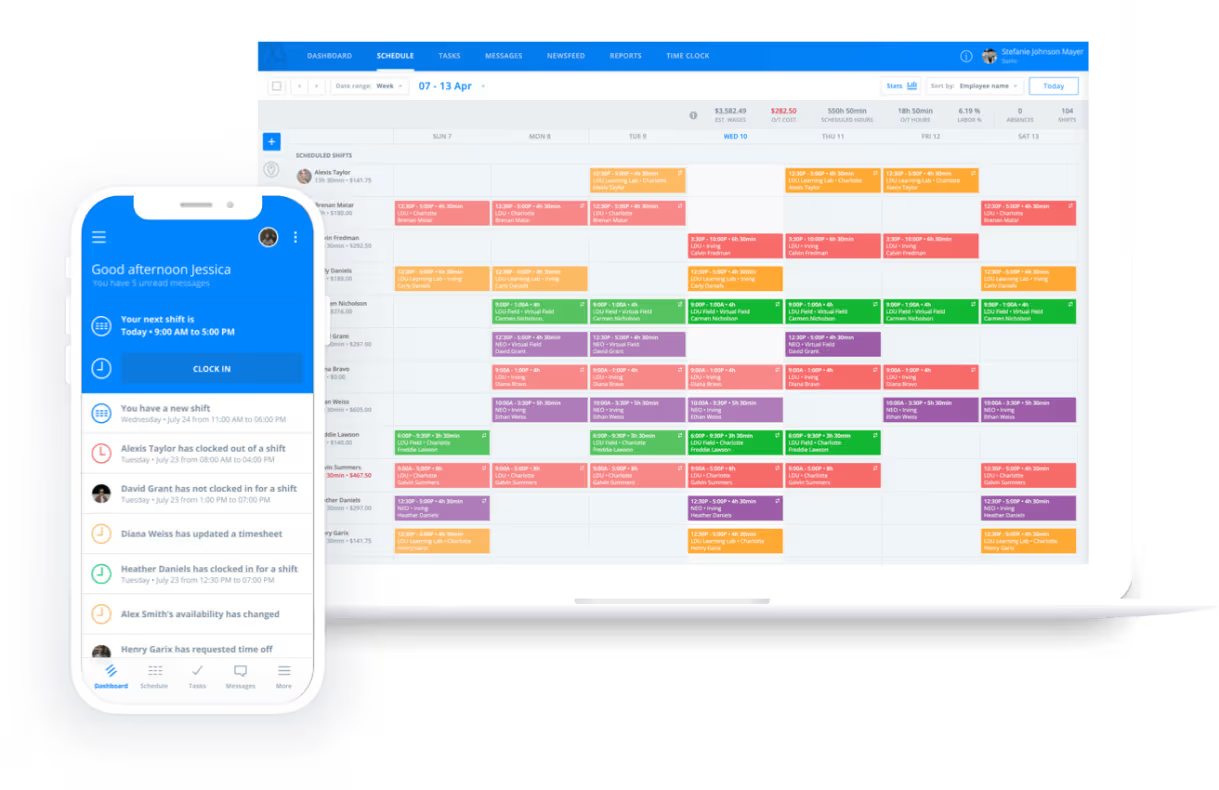
Sling’s scheduling engine is its core strength. Managers create schedules using a visual drag-and-drop interface with day, week, and month views. Templates allow recurring shift patterns to be reused, significantly reducing administrative effort in repetitive operations.
Key scheduling capabilities include:
- Employee availability and time-off tracking
- Conflict and double-booking alerts
- Shift swapping with approval workflows
- Open shifts employees can claim voluntarily
- “Clopening” and rest-period warnings to prevent fatigue
Schedules can be built in advance and adjusted quickly when demand changes, making Sling especially effective in fast-moving operational environments.
Labor Cost Forecasting and Budget Control
A defining feature of Sling is its built-in labor cost visibility. As managers build schedules, Sling calculates projected labor costs based on employee wages and assigned hours.
For revenue-driven environments such as restaurants, managers can compare labor costs against forecasted sales before publishing schedules. If staffing exceeds budget thresholds, Sling triggers alerts which allows for proactive corrections instead of reacting to cost overruns after payroll is processed.
Time and Attendance Tracking
Sling bridges planned schedules with actual hours worked through its time clock functionality. Employees can clock in and out via:
- Mobile apps (iOS and Android)
- Web browsers
- Centralized tablet kiosks
Geofencing ensures employees are physically at the work location when clocking in, while IP restrictions can be used in environments where GPS is unreliable. Importantly, Sling only verifies location at the moment of punch, it does not continuously track employees, balancing accountability with privacy.
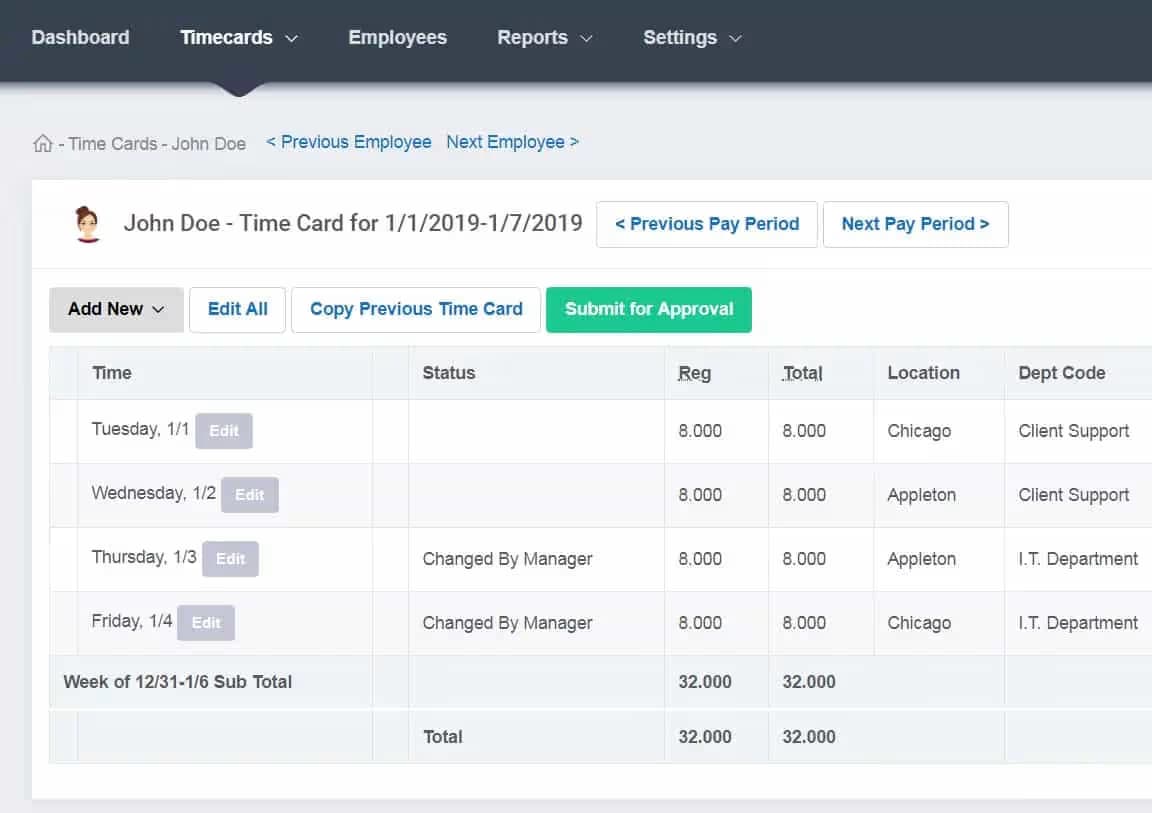
Timesheets are generated automatically and can be reviewed, edited, and approved before being exported to payroll systems.
Communication, Messaging, and Task Management
Sling consolidates internal communication directly into the scheduling platform, reducing reliance on personal messaging apps.
Key communication features include:
- Company newsfeed for announcements, files, and updates
- Read-receipt tracking for critical messages
- One-to-one and group messaging
- Location- or role-based message targeting
The task management module allows managers to assign checklists and responsibilities to specific shifts, creating accountability and a historical record of task completion, which are useful for audits and quality control.
Integrations and Technical Ecosystem
Sling integrates with major payroll, POS, and business systems, including:
- Toast POS
- Square
- Gusto
- Shopify
- ADP (via API)
POS integrations are particularly valuable in hospitality, enabling labor-to-sales comparisons and automated employee syncing. Sling also offers an open API for organizations needing custom integrations or advanced reporting workflows.
Pricing and Subscription Model
Sling uses a tiered, per-user pricing model:
- Free Plan: $0
Scheduling, messaging, and newsfeed for up to 30 users - Premium Plan: ~$1.70/user/month
Adds time clock, task management, and labor costing - Business Plan: ~$3.40/user/month
Adds geofencing, kiosk mode, PTO tracking, and advanced reporting
Billing is prorated on monthly plans, and deactivated users do not count toward charges. Annual plans offer discounts but operate on a seat-based model.
This pricing structure makes Sling especially attractive for SMBs and multi-location businesses with lean staffing per site.
Best Use Cases for Sling
Sling is best suited for:
- Restaurants and Hospitality: Restaurant labor must track demand volatility tightly. Sling’s Toast partnership syncs employees, sales, and timesheets, enabling “labor vs. sales” comparisons before schedules are published. It offloads coverage from managers and keeps guest experience front-and-center. For multi-unit groups, segment communications by location and role, publish prep lists as tasks per shift, and standardize closings via checklists.
- Retail and E-commerce: Retailers benefit from fast template-driven scheduling for predictable hours mixed with event- or promo-driven spikes. Store managers can maintain lean midweek staffing and ramp for weekends or drops, using labor-cost overlays to hold targeted payroll percentages. Mobile-first shift confirmations and swap requests reduce no-shows, while Newsfeed updates align dispersed associates on promotions and visual merchandising.
- Healthcare and Senior Living: Healthcare requires guardrails for clinician fatigue and license compliance. Sling’s rest-period enforcement helps reduce clopening and overtime risks. For home health and group homes, geofencing verifies presence at the correct address at punch-in without continuous tracking.
- Field Services and Construction: Field teams need mobile-first coordination. Sling’s geofenced clock-ins, BCC-style crew messaging, and shift-linked task lists keep supervisors aligned from the truck, not a desk. Route updates, equipment checklists, and safety bulletins can live alongside the schedule to tighten execution and reduce radio chatter.
- SMBs seeking a low-cost scheduling solution
- Logistics and field-based operations
Less ideal for:
- Large enterprises requiring deep analytics
- Project-based or billable-hours consulting teams
- Organizations needing advanced HRIS functionality
Sling vs Competitors
- Vs Homebase: Homebase is cost-effective for single, high-density locations; Sling scales better for multi-site teams with fewer employees per location.
- Vs Deputy: Deputy offers deeper automation and forecasting but is more complex and expensive.
- Vs 7shifts: 7shifts is highly specialized for restaurants; Sling is more flexible across industries.
- Vs When I Work: When I Work emphasizes alerts and visibility; Sling provides better labor cost forecasting.
Comparison Summary and Recommendations
- Prioritize Sling if you value: low administrative overhead, embedded labor costing, a no-cost onramp for up to 30 users, and straightforward POS/payroll connectivity.
- Consider Connecteam for field-heavy teams needing integrated training and digital forms; Deputy for advanced compliance and forecasting; 7Shifts for restaurant-specific tooling.
- Cost structure matters: in organizations with many locations but few staff per site, per-user models like Sling can be materially cheaper than per-location pricing. Conversely, single sites with high headcount may favor flat per-location competitors.
Is Sling Worth It?
Sling is an excellent workforce management solution for small and mid-sized organizations that rely on shift labor and want to control scheduling complexity without heavy software costs.
Sling delivers a rare combination of simplicity, affordability, and operational impact. Its free tier lowers the barrier to entry, while its paid plans provide enough depth to support growing, multi-location teams. For organizations prioritizing scheduling speed, labor cost awareness, and internal communication, Sling is one of the strongest value-for-money platforms in the market.
Frequently Asked Questions
What are the key features of Sling software?
Sling combines scheduling, time and attendance, in-app communications, task management, and labor-costing in one platform. Scheduling includes templates, conflict detection, auto-scheduling with skills and availability, and shift swapping. Time tracking supports mobile, web, and kiosk punches, with geofencing/IP restrictions, anti–buddy punching, and payroll exports. Communications include a segmented Newsfeed, BCC-style messaging, read receipts, and file sharing. Advanced reports and PTO management are available in higher tiers.
How does Sling compare to other employee scheduling and workforce management platforms?
Against Connecteam, Sling is simpler and cheaper when scheduling and labor control are the primary needs. Connecteam may win if you require in-app training, forms, or a knowledge base. Compared to Deputy, Sling delivers faster time-to-value and lower cost for SMBs. Deputy shines with enterprise-grade forecasting and compliance. Versus 7Shifts, Sling offers cross-industry flexibility and a strong free tier. 7Shifts is tailored for high-volume restaurants with tip workflows.
What industries is Sling best suited for?
Sling is widely used in hospitality and restaurants (tight labor vs. sales control, Toast integration), healthcare and senior living (rest-period enforcement, shift notes, geofenced punches), retail (template-driven scheduling, promo alignment), and field services/logistics (mobile-first coordination, location-aware clocking).
How much does Sling software cost, and what factors can impact the total cost of ownership?
Free covers up to 30 users for scheduling and messaging. Premium is about $1.70 per user per month for time tracking, labor costing, and tasks. Business is about $3.40 per user per month for geofencing, kiosk, advanced reports, and PTO. Total cost depends on active user count, annual vs. monthly billing, kiosk hardware, and integration needs. Annual plans offer discounts but use seat-based commitments.
Is the Sling app secure and reliable for managing employee data?
Sling’s location verification is designed with privacy in mind: GPS checks only at clock events, minimum geofence radius to prevent false positives, and optional IP restrictions. Role-based access keeps sensitive settings and reports on desktop for admins, while mobile focuses on daily operations. User reviews note strong reliability with occasional mobile sync lag on complex recurring schedules. Best practice is to publish schedules and changes with push notifications and confirm receipt via read tracking.