What is Buddy Punch?
Buddy Punch is a cloud-based time and attendance system. It is designed for small to mid-sized businesses that need accurate and verifiable time tracking without investing in proprietary hardware. It is particularly well suited for organizations with hourly, shift-based, or mobile teams where physical presence directly affects labor costs.
Unlike basic time trackers, Buddy Punch focuses heavily on labor accountability. It addresses common issues such as time theft and “buddy punching” through tools like facial recognition, photo-on-punch, geofencing, GPS capture, and IP restrictions. These features make it a strong fit for industries such as construction, healthcare, retail, warehousing, and field services.
Buddy Punch operates as a software-as-a-service (SaaS) platform available on web browsers, iOS and Android apps, and tablet-based kiosks. Any tablet can be converted into a secure time clock, allowing companies to avoid the cost and complexity of dedicated punch hardware.
Pros and Cons of Buddy Punch
Pros:
- Strong accountability controls including facial recognition, GPS-on-punch, and geofencing
- Easy-to-use interface with fast employee adoption
- Flexible deployment (web, mobile, kiosk) without proprietary hardware
- Integrates well with major payroll platforms such as QuickBooks, ADP, Gusto, and Paychex
- Scheduling and time tracking are tightly connected, helping control overtime
Cons:
- Advanced configuration and reporting are best handled on the web, not mobile
- The $19 monthly base fee can be expensive for very small teams
- Editing older time entries can feel unintuitive without proper permission setup
Core Features and Functionality
Time Tracking and Attendance
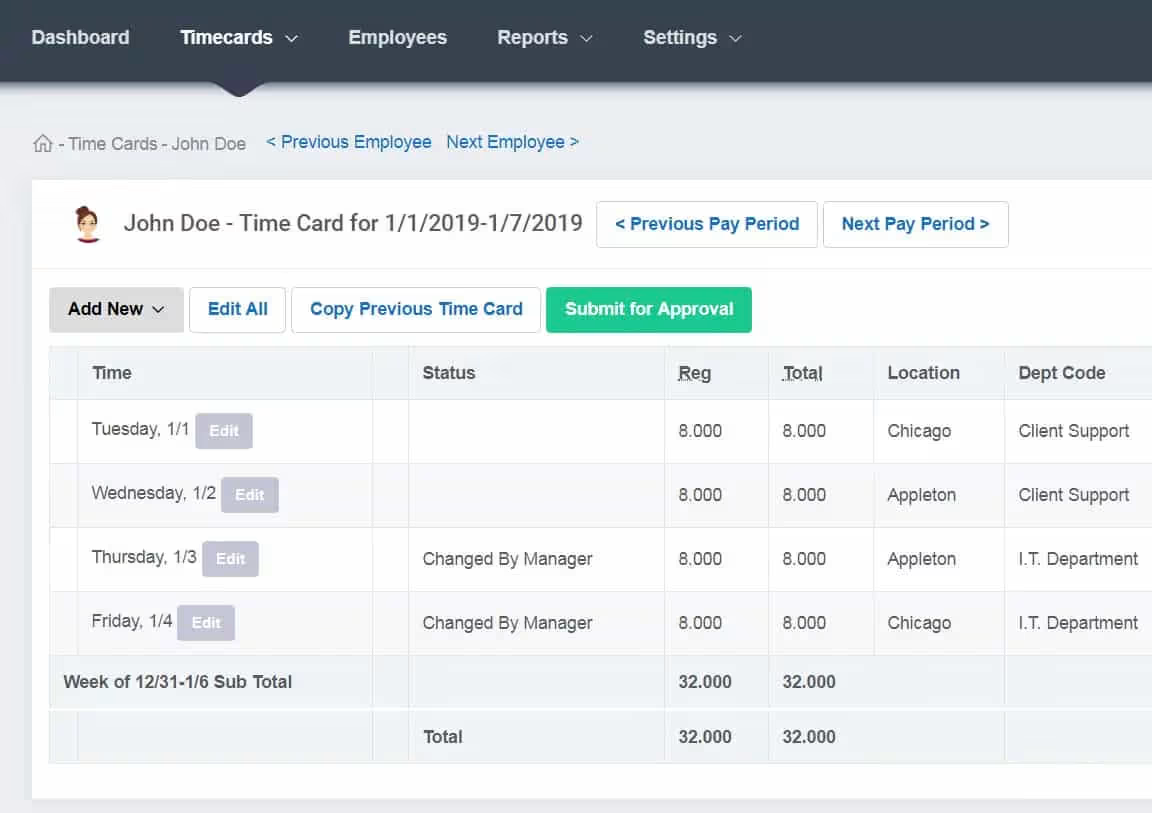
Employees can clock in and out via mobile devices, web browsers, or tablet kiosks. Buddy Punch automatically converts punches into audit-ready timesheets covering regular hours, overtime, double time, and breaks.
Identity verification can be configured by location or role:
- Facial recognition (iOS devices)
- Photo-on-punch
- PIN or QR codes
- IP address restrictions for office environments
Overtime rules can be set daily, weekly, or by jurisdiction, with alerts notifying managers before thresholds are exceeded.
Scheduling and Job Tracking
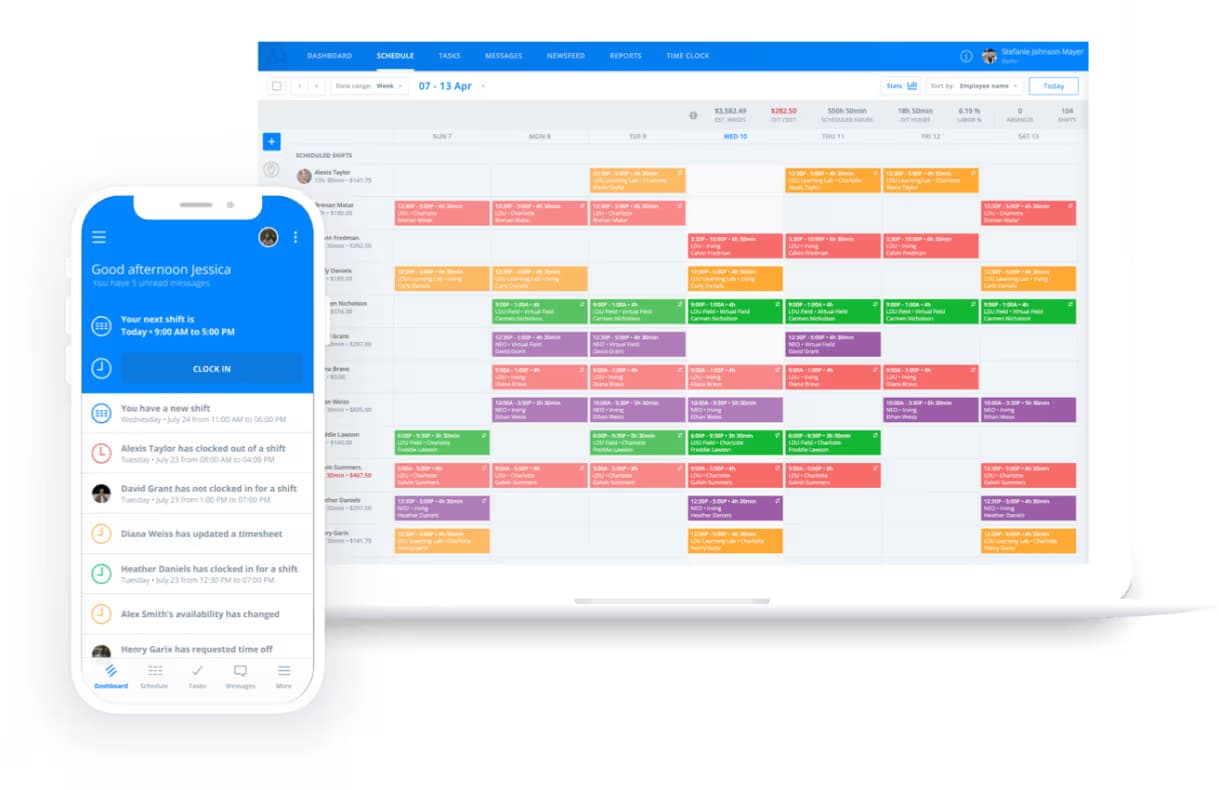
The scheduling module uses a drag-and-drop interface with recurring shifts, templates, and employee availability. Schedules and punches live in a single system, enabling Buddy Punch to flag:
- Early clock-ins
- Late arrivals
- No-shows
Employees can assign punches to jobs, departments, or locations, supporting basic job costing that flows directly into payroll exports.
Reporting and Payroll Readiness
Buddy Punch provides standard reports for payroll, daily hours, attendance exceptions, and hours by location or department. These reports are designed to support compliance checks, cost analysis, and payroll preparation.
A custom reporting add-on allows businesses to:
- Build tailored datasets
- Schedule automatic report delivery
- Export data to CSV or Excel for financial analysis
Mobile App and Integrations
The mobile apps prioritize reliability and speed. Employees can punch, view schedules, request time off, and capture location data. More complex tasks, such as bulk edits, policy setup, and payroll exports. These are handled through the web interface.
Buddy Punch integrates with:
- QuickBooks Online and Desktop
- ADP, Gusto, Paychex, iSolved, Rippling (via formatted exports)
- Zapier and a REST API for custom workflows
This makes it easy to connect Buddy Punch to existing payroll, HRIS, or operational systems.
Administrative Controls and User Management
There is role-based access control to ensure that employees, managers, and admins only see what they need. IP locking restricts web punches to office networks. Geofencing restricts punches within a set radius or reminds employees to punch within the zone. Multi-factor authentication strengthens account security. You can set permissions that limit edits to timecards, require approvals, and restrict visibility by location or department.
Performance and Usability
Ease of Setup
Most organizations can configure Buddy Punch in a few days. Setup typically involves importing employees, defining locations or departments, configuring overtime and break rules, and enabling geofencing where needed. Teams often pilot the system at one site before rolling it out company-wide.
User Experience
The interface is intentionally minimal and functional. Employees see clear punch actions, while managers get quick access to approvals, exceptions, and attendance alerts. This design reduces training requirements and speeds adoption.
Accuracy and Reliability
Each punch is logged with timestamps and optional location or biometric data. This creates a verifiable audit trail that reduces disputes and manual corrections. Accuracy depends largely on proper configuration of alerts, geofences, and approval workflows.
Customer Support and Responsiveness
Their live chat is fast and they have helpful documentation that speed setup and troubleshooting. They also have human support to talk to before you buy, which lowers risk during evaluation. For very complex cases such as multi-site payroll mappings, they work best through documentation or scheduled sessions.
Customization, Scalability, and Industry Fit
Industry Use Cases
- Construction & Field Services: Geofencing, GPS, and facial recognition prevent off-site clock-ins.
- Healthcare & Home Care: GPS verification supports visit compliance and mobile workforces.
- Retail & Warehousing: PIN-based kiosks handle fast shift changes and high employee volume.
As organizations grow, templates for schedules, rules, and alerts help maintain consistency across sites.
Integrating Buddy Punch with Existing Business Tools
Most SMBs connect Buddy Punch to payroll first. With QuickBooks Online, admins map employees once and export hours in a few clicks. QuickBooks Desktop requires the Web Connector but still streamlines payroll prep. For ADP, Gusto, Paychex, and others, Buddy Punch generates a platform-specific file.
Scalability and Adaptability
Buddy Punch scales with unlimited geofences, role-based access by location or department, and add-ons like real-time GPS. As you add staff and sites, templates for schedules, break rules, and policies, along with alerts, keep operations consistent. The data retention extension supports longer compliance windows as risk grows.
Pricing and Value
Pricing Structure
Buddy Punch charges a $19 monthly base fee plus per-user pricing:
- Starter (from $4.49/user): Core time tracking with GPS-on-punch
- Pro (from $5.99/user): Scheduling, geofencing, biometric verification
- Enterprise (from $10.99/user): API access, SSO, advanced GPS tools
Optional add-ons include real-time GPS tracking, built-in payroll, and extended data retention.
While the base fee can be costly for very small teams, the platform offers strong value for organizations with 15 or more employees.
Return on Investment (ROI)
For many teams, Buddy Punch delivers measurable savings by:
- Reducing time theft through verifiable punches
- Cutting payroll preparation time
- Preventing unplanned overtime with real-time alerts
Organizations that fully enable geofencing, biometric checks, and overtime alerts often see five-figure annual savings relative to subscription costs.
Is Buddy Punch Worth It?
Buddy Punch is a strong choice for small and mid-sized businesses with hourly or distributed workforces where attendance accuracy and location verification matter. It excels in environments where physical presence drives labor costs and compliance risk.
Best for:
- Construction, healthcare, retail, logistics, and field-based teams
- Businesses using QuickBooks that want a more cost-effective time tracking solution
- Organizations prioritizing accountability over task-level productivity tracking
Not ideal for:
- Solo freelancers or micro-teams
- Knowledge-work teams needing deep task or productivity analytics
Buddy Punch delivers reliable, verifiable time tracking with solid integrations and scalable pricing, therefore making it a practical, cost-effective workforce management solution for compliance-driven SMBs.
Frequently Asked Questions
What are the key features of the Buddy Punch system?
Verifiable time tracking (photo or facial, GPS, geofences), integrated scheduling, payroll-ready exports, and robust reporting.
How does the Buddy Punch system compare to traditional time tracking methods?
It replaces subjective, error-prone records with auditable events and automated rules. Independent reviews note fewer disputes and shorter payroll prep.
Can the Buddy Punch system integrate with my existing business software?
Yes. It supports QBO and QBD sync and file-based exports to major payroll systems.
What are the pricing plans and features available with the Buddy Punch system?
Three tiers plus add-ons and a $19 base fee. The pricing page details inclusions such as scheduling, geofencing, biometrics, API, and SSO.
How reliable and accurate is the Buddy Punch time tracking system?
Reliability comes from identity checks and location capture, standardized rules, and exception reporting. Aggregated user ratings on G2 reflect strong sentiment on accuracy and ease of use.